Marketplace
TIBCO Developer Hub marketplace is a one-stop shop for developers on TIBCO Platform, where you can find and share documentation and assets with other developers. Also you can create new TIBCO assets based on templates, you can manage and view your build pipelines and running components.
To access Marketplace, in TIBCO Developer Hub, click Marketplace menu in the left side navigation.
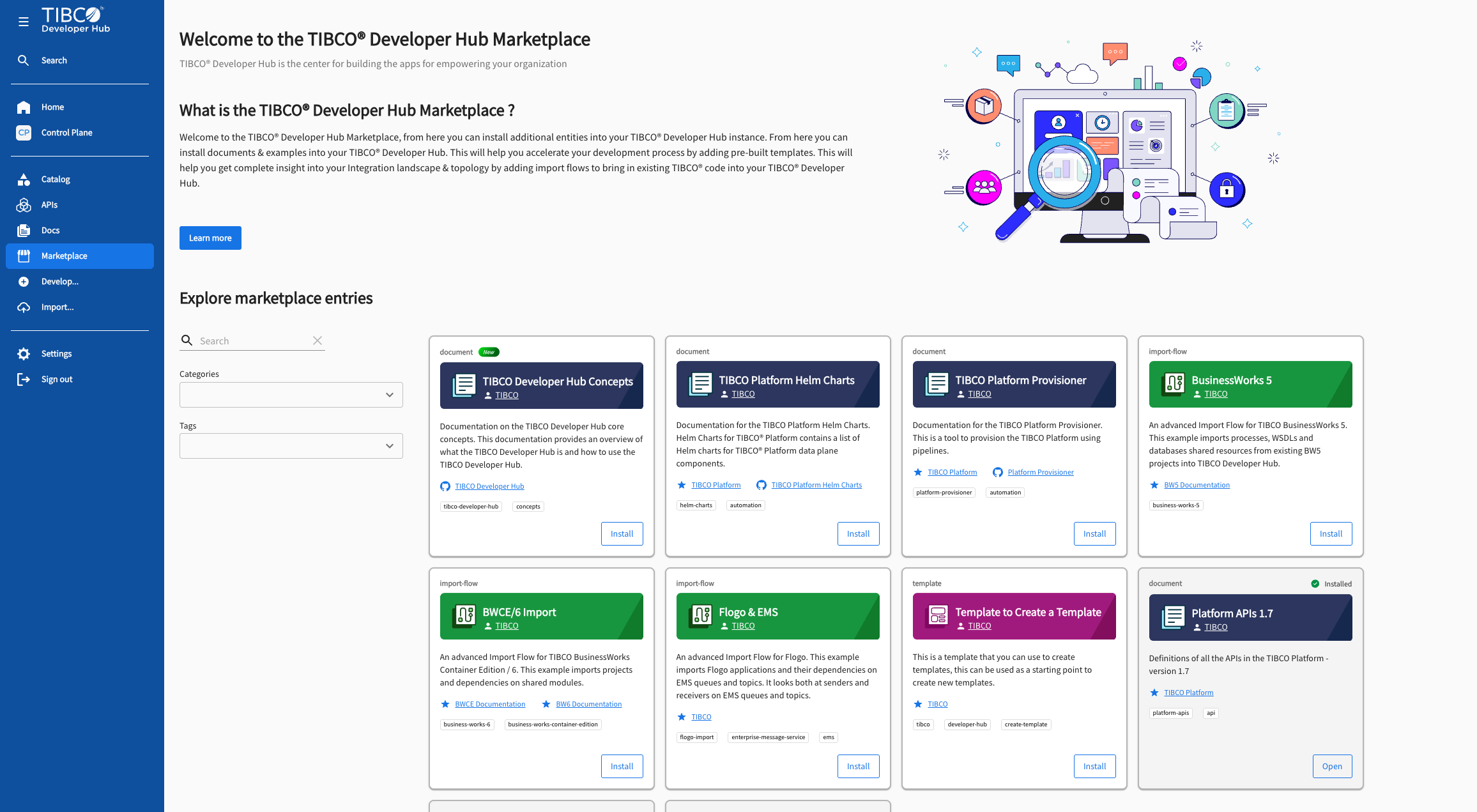
Import flows are the same as templates with the tags: devhub-marketplace. You can install a marketplace item, which will create the catalog entities related to the marketplace item.
New marketplace items are visible at the top and installed marketplace items are visible at the bottom of the list.
To search for an available Marketplace item, use the search and filter options. Click on a Marketplace item to view the details.
To install a marketplace item, click the Install button. Click on the Open button to navigate to the installed marketplace catalog entity in the catalog page.
Add the following code to the custom configuration file when provisioning or updating configuration of your TIBCO Developer Hub instance to make Marketplace entries installable.
catalog:
  rules:
   - allow:
       [Group, Template, System, Domain, Location, Component, API, Resource]