Activation
Activation configuration can be used by capabilities for activation using license. A license can be generated in the TIBCO Software Downloads site at https://www.tibco.com/downloads. For more information, see the TIBCO Activation Service documentation.
- You must have the following permissions:
- To configure the activation at the global level, you must have Owner or Team Admin permission.
- To configure the activation at the data plane level, you must have Data plane Manager permission. For more information, see Permissions.
There are two options for activation configuration. Only one of the two ways can be selected at a time.
-
In-Product Activation (local activation): Upload your license file to the system. For generating a License file, see TIBCO Activation Service documentation.
-
TIBCO Activation Service (remote activation): The URL for your TIBCO Activation Service instance can be found in the TIBCO Activation Service documentation.
Configuring Activation at the Global Level
- Procedure
- In the TIBCO Control Plane UI, click Data Planes.
-
Click Global configuration in the upper-right corner.
-
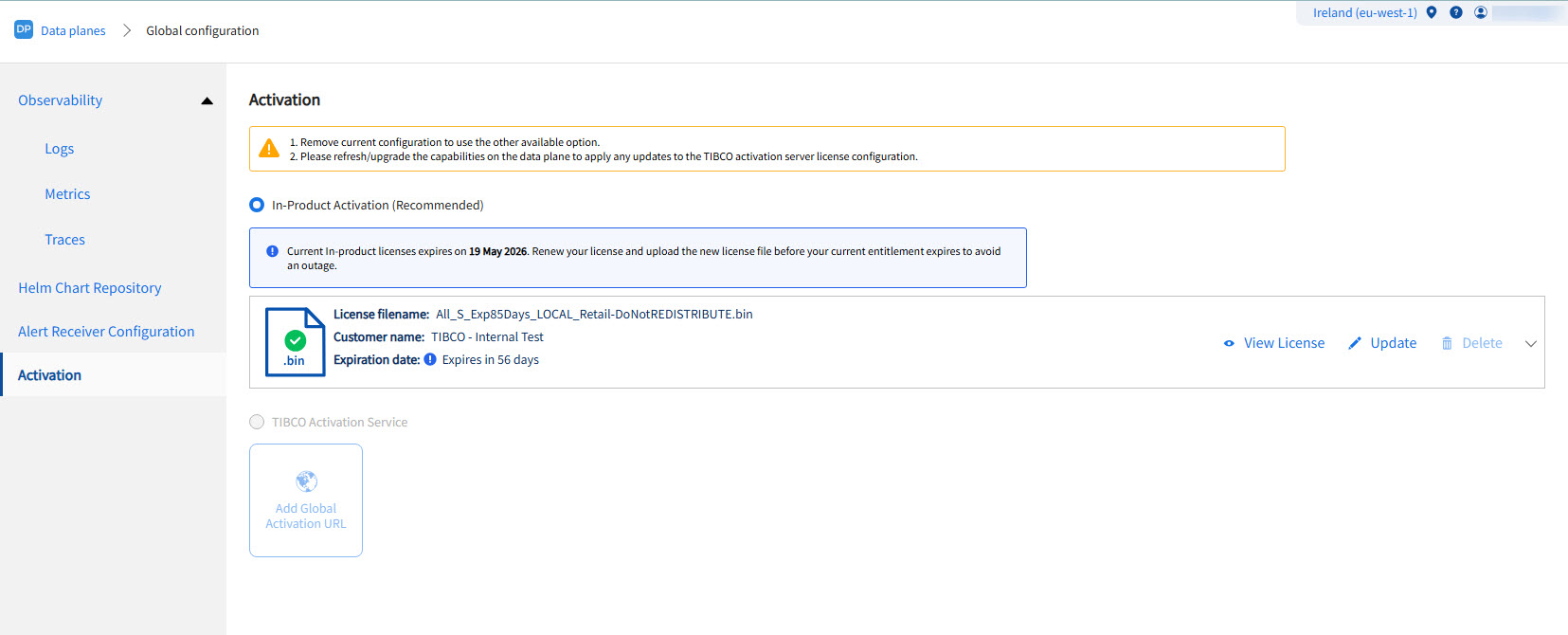
Click the Activation tab. You can do the Activation configuration in one of the following ways:
-
In-Product Activation (local activation): Upload your license file to the system.
-
TIBCO Activation Service (remote activation): You can add activation URL, edit or delete the existing URL.
-
After a license file is uploaded, the UI displays the file details, including the file name, customer name, expiration date, and product list. For licenses expiring within 90, 30, or 7 days, a notification appears on the global level and in the side navigation bar. These notifications clearly indicate how many days remain until expiration and redirect the user to the file details page upon clicking View details.
Configuring Activation At the Data Plane Level
- Procedure
-
On the data plane details page, click Data Plane configuration.
- Click the Activation tab.
-
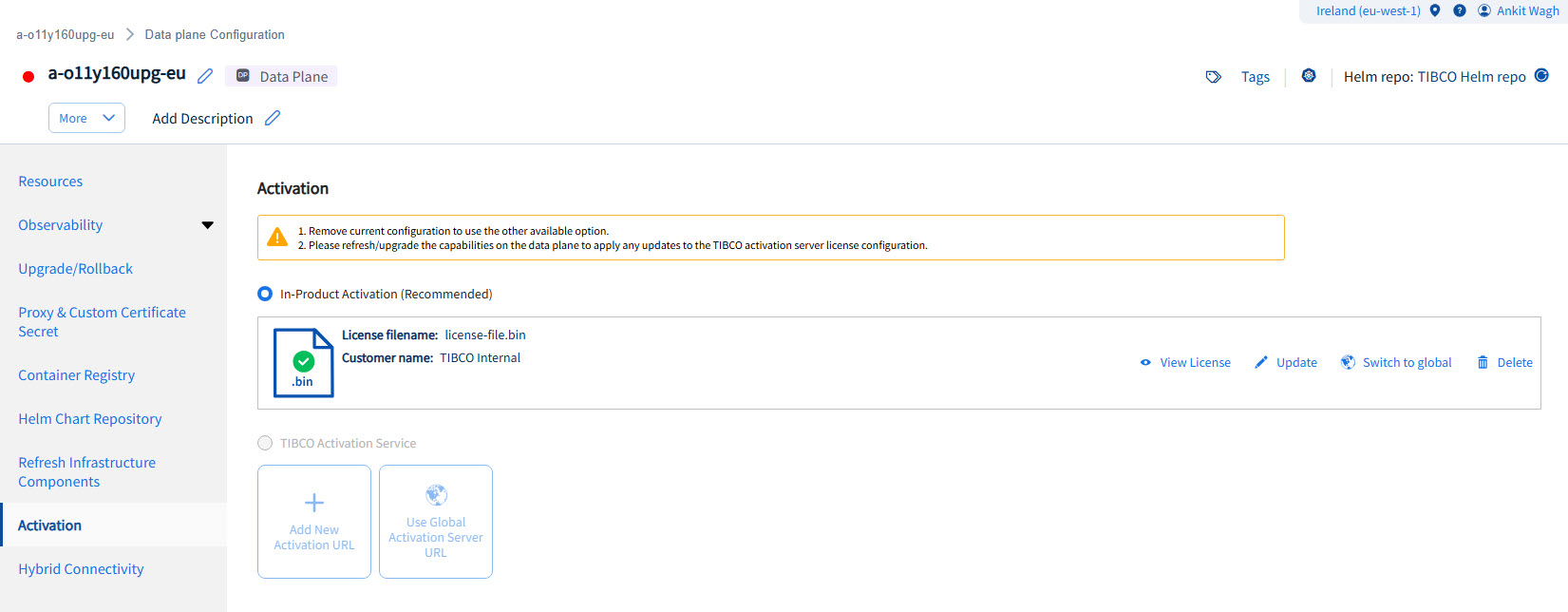
You can do the Activation configuration in one of the following ways:
-
In-Product Activation (local activation): Upload your license file to the system. You can also use license file configured at the Global level by clicking Use Global License File button.
-
TIBCO Activation Service (remote activation): You can add activation URL, edit or delete the existing URL. If you do not want to configure Activation URL at the data plane level, you can use Activation URL configured in the global configuration and can unlink when required. You can also use activation URL configured at the Global level by clicking Switch to Global link.
-
When configuring Activation URL, you must consider the following points:
-
You can add only one activation URL, both at global and data plane level.
-
You cannot delete the activation URL from global level if any data plane is linked to that activation URL.
-
To ensure the latest changes are reflected, you must refresh the capability if there are any updates to activation URL details, or if an activation URL is linked, unlinked, or switched.