Refreshing Infrastructure Components
If there are any changes in the custom Helm repository or charts, you must perform the Refresh operation to apply the latest changes to the data plane. Refresh operation re-provisions infrastructure components.
-
You change the charts in the custom repository configured. To deploy the latest chart changes on Refresh, you must select the Apply latest service pack or patch versions of the charts checkbox when configuring a custom Helm repository.
-
You change the custom helm repository configured for the data plane.
-
You link a global Helm repository to the data plane.
-
You edit the custom repository configurations such as path, username, and password.
- Procedure
-
On the data plane details page, click the refresh icon
 next to the Helm Chart repository name.
 -
On the Infrastructure components refresh page, commands to refresh are displayed. Copy and run the commands in your Kubernetes cluster in the order displayed on the page.
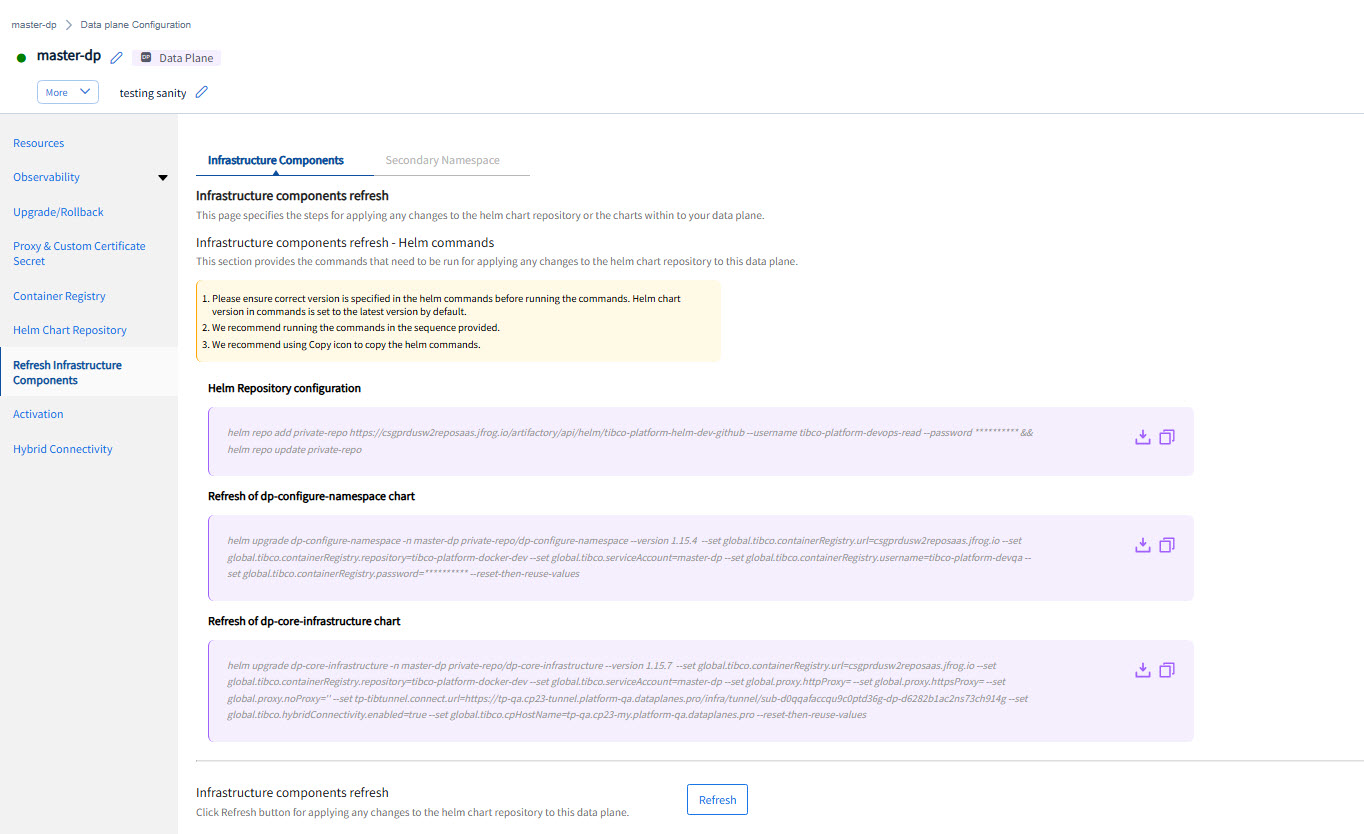
- After running the commands, click Refresh.
Refreshing Infrastructure Components in Secondary Namespace
Primary namespace is the namespace used when registering a data plane. You can deploy apps in other secondary namespace but this namespace must be existing and accessible by the same service account used during the data plane registration. Use the following steps to refresh infrastructure components in the secondary namespace also.
- Procedure
-
On the data plane details page, click the refresh icon
next to the Helm Chart repository name. -
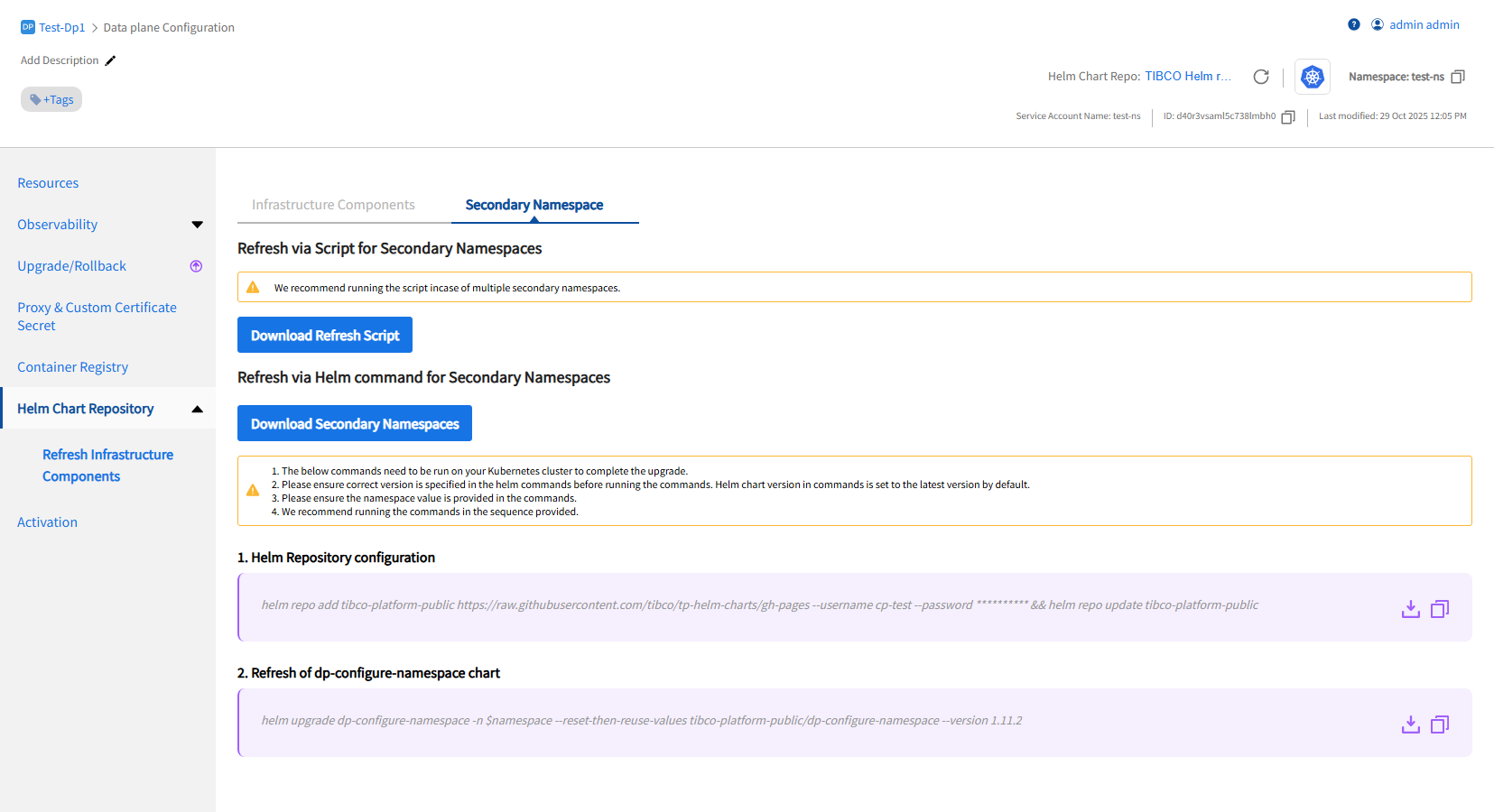
On the Infrastructure components refresh page, click the Secondary Namespace tab. Commands to refresh are displayed.
-
(Optional) Click Download Secondary Namespaces button to view all secondary namespaces configured in the data plane.
-
Copy and run the commands in your Kubernetes cluster in the order displayed on the page. Alternatively, you can also download script which will run these commands.
Note: If you have multiple secondary namespaces, only a single namespace can be refreshed by using commands displayed on UI. By using script, all the secondary namespaces available can be refreshed.