|
| Copyright © Cloud Software Group, Inc. All Rights Reserved |
1. Locate the appropriate installer package for your platform, as listed in Table 8. (For the latest changes, see the README.400 file.)
Table 8 IBM i Distribution Directories
a. Login as QSECOFR.
b.
c. Copy the save file (TIBRV.SAV) from the temporary (unzip) directory to the save file you created in step 3b.
4. If another version of TIBCO Rendezvous is installed to the TIBRVLIB default library, you must uninstall it before installing this version.
a.
b. Ensure that no TIBCO Rendezvous programs are running, and that TIBRVLIB is not in any user’s library list.DLTLICPGM LICPGM(seven-character identifier)
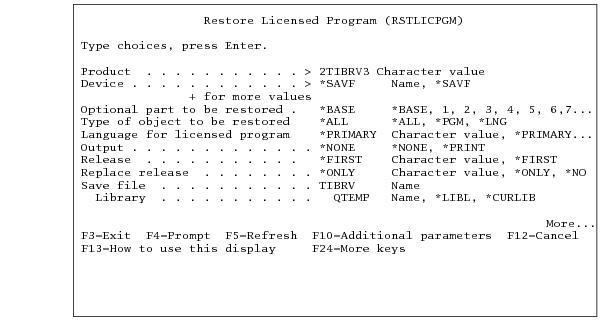
5. Install using the command RSTLICPGM as follows:RSTLICPGM LICPGM(2TIBRV3) DEV(*SAVF) SAVF(libname/TIBRV)Figure 1 IBM i: Beginning the Installation
|
| Copyright © Cloud Software Group, Inc. All Rights Reserved |