
TIBCO Enterprise Administrator Configuration
If you configure your component to be deployed using the deployment mode with TIBCO Enterprise Administrator, you need to specify the TIBCO Enterprise Administrator configuration fields.
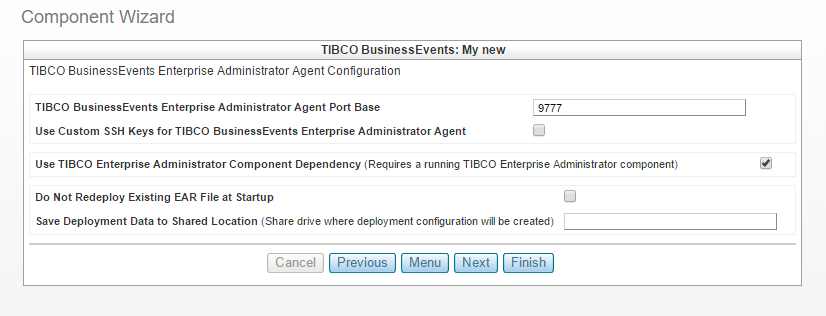
- TIBCO BusinessEvents Enterprise Administrator Agent Port Base Specifies TIBCO BusinessEvents Enterprise Administrator Agent listening port
The default value is 9777.
-
Use custom SSH Keys for BusinessEvents Enterprise Administrator Agent Select this option to use custom SSH keys for the TIBCO Enterprise Administrator agent.
To configure the SSH keys for BusinessEvents TIBCO Enterprise Administrator Agent, you need to upload the Private SSH Key and provide the SSH Key Passphrase. - Do not Redeploy Existing EAR File at Startup
Select this option to avoid redeployment of the EAR file whenever the BusinessEvents component restarts.
-
Save Deployment Data to Shared Location Mention the share drive the deployment configuration is to be created.
Copyright © Cloud Software Group, Inc. All rights reserved.