If you want to create a new group as a subgroup to another group, first select the parent group in the Available groups list.
Click the New Group button.
Response: The New Group dialog appears.
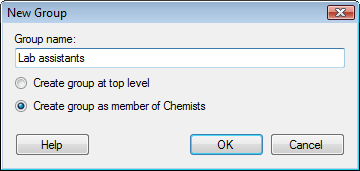
Enter a name for the new group.
Select whether you want the
new group to be created at top level, or if you want it to be placed
as a member of the group currently selected in the Available
groups list.
If no group is selected in the list, only the Create
group at top level option is available.
Click OK.
Response: The new group is created and appears in the list of Available groups.