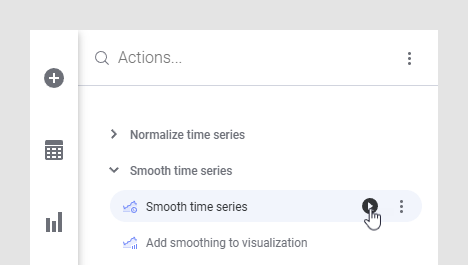
You can run actions ad hoc from the
Actions flyout.
Before you begin
Make sure data is
loaded into the analysis.
Procedure
-
On the authoring bar, click
Actions
 .
-
In the flyout, locate the action you want to run and click Run
 to the right. You might
need to expand the item to select a specific action.
-
Depending on the action you run, in the next step you might need
to provide input and click
Run again. See also,
Configuring action parameters.
Tip: If you want to save the configuration with the
parameters you specify, select the check box
Save configuration and specify a name for
the configuration before running the action. The configuration will then be
available in the details view of the
Actions flyout as well as on the
Test tab of the
Mods development tool.