Creating a Jupyter Notebook
You can create a notebook from the TIBCO Data Science – Team Studio Work Files tab.
Before you begin You must have access to a
TIBCO Data Science – Team Studio server that is configured to work with Jupyter Notebooks for Team Studio
.
- Procedure
- From the TIBCO Data Science – Team Studio menu, click Workspaces.
- Click the name of the workspace in which to create a Jupyter Notebook.
- Click
Work Files tab.
The Workfile action menu displays the options for work files.
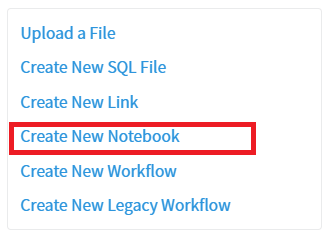
- Click
Create New Notebook.
- Provide a file name for the notebook, and optionally provide a description.
The file extension for Jupyter Notebooks is .ipynb. The name you provide, with that extension, is displayed in the Work Files list after you create the Jupyter Notebook.Note: Valid names for notebooks include numbers, letters, spaces, and any of the following characters.
- (
- )
- .
- -
- _
Initially, the work file space displays the message Preview Unavailable. - Click Open Notebook to begin defining the new Jupyter Notebook.