Fourier Bessel
This operator reduces data from measurements on a disk into coefficients corresponding to Fourier Bessel basis functions.

Information at a Glance
|
Parameter |
Description |
|---|---|
| Category | Transform |
| Data source type | TIBCO® Data Virtualization |
| Send output to other operators | Yes |
| Data processing tool | TIBCO® DV, Apache Spark 3.2 or later |
Algorithm
The Fourier Bessel operator is a method of expressing a set of original measurements on a disk as a series of coefficients. These coefficients are the result of applying a Fourier expansion to the original data that uses Bessel functions as its orthogonal basis. The goal is to reduce the data dimensionality in a way that it can be applied to all disk configurations and is robust to missing data.
Input
An input is a single tabular data set.
Bad or Missing Values
-
The missing data in ID Columns, X Coordinate Column, and Y Coordinate Column does not cause an error.
-
The missing data in measurement values is handled by the algorithm.
Configuration
The following table provides the configuration details for the Fourier Bessel operator.
| Parameter | Description |
|---|---|
| Notes | Notes or helpful information about this operator's parameter settings. When you enter content in the Notes field, a yellow asterisk appears on the operator. |
| Shape Column | Specify the column that contains shape ID. |
| ID Columns | Specify the columns that uniquely identify a disk. Click Select Columns to select the required columns. |
| Measurement Column | Specify the column that contains measurements. The column must be numerical. |
| X Coordinate Column | Specify the column that contains X-coordinates. The column must be an integer. |
| Y Coordinate Column | Specify the column that contains Y-coordinates. The column must be an integer. |
| Bessel Nu |
Specify the number of Bessel Q functions to use. The parameter provides the total number of Bessel coefficients produced together with Bessel Q. The maximum value permitted is 30. Default: 12 |
| Bessel Q |
Specify the number of zeros of each Bessel Nu function to use. The parameter provides the total number of Bessel coefficients produced together with Bessel Nu. The maximum value permitted is 30. Default: 12 |
| Compute RMS error | Specify whether to compute the root means square (RMS) error. When set to Yes, the operator computes the RMS error. When set to No, the operator does not compute the RMS error. |
| Normalization Method |
Specify the type of normalization method for the measurement column. The following values are available:
Default: Z-Score |
| Output Schema | Specify the schema for the output table or view. |
| Output Table | Specify the table path and name where the output of the results is generated. By default, this is a unique table name based on your user ID, workflow ID, and operator. |
| Store Results | When set to Yes, the operator saves the results. If set to No, the operator does not save the results. |
Output
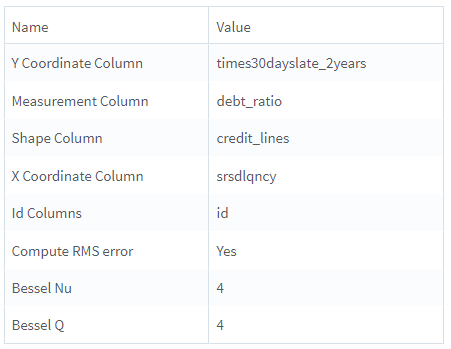
- Parameter Summary Info: Displays information about the input parameters and their current settings.
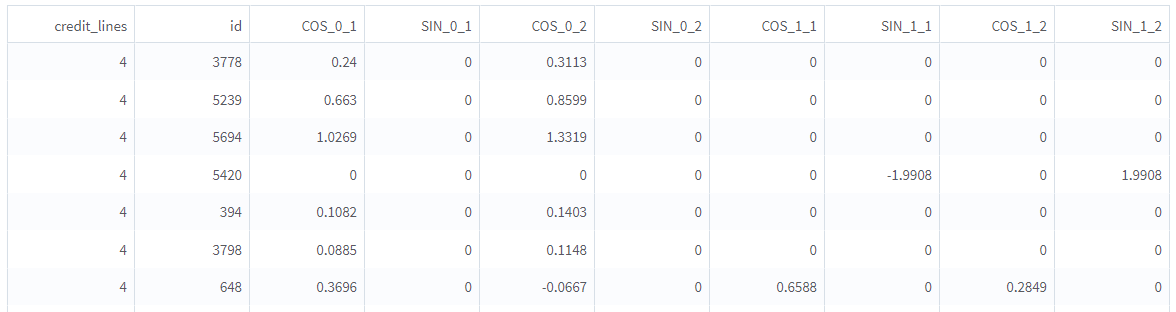
- Output: Displays a table with Bessel coefficients as well as the ID column and Shape column.
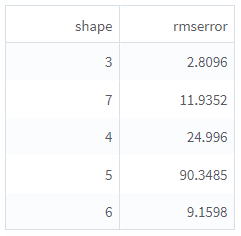
- RMS Errors for Shapes: Displays the root mean squared errors between original disk measurements and the reconstruction from the Fourier Bessel expansion when Compute RMS error is set to Yes.
Example
The following example illustrates the Fourier Bessel operator.
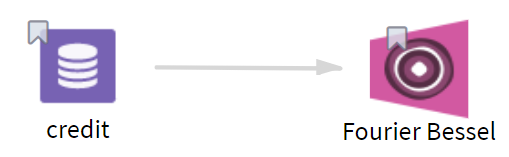
credit: This data set contains the following information:
- Multiple columns such as id, times90dayslate, revolving_util, debt_ratio, credit_lines, monthly_income, times30dayslate_2years, and srsdlqncy.
- Multiple rows (1000 rows).
Parameter Setting
The parameter settings for the credit data set are as follows:
-
Shape Column: credit_lines
-
ID Columns: id
-
Measurement Column: debt_ratio
-
X Coordinate Column: srsdlqncy
-
Y Coordinate Column: times30dayslate_2years
-
Bessel Nu: 2
-
Bessel Q: 2
-
Compute RMS error: Yes
-
Normalization Method: Min-Max
-
Store Results: Yes
Results
The following figure displays the output for the parameter settings for the credit data set.
Parameter Summary Info
Output
RMS Errors for Shapes