Null Value Replacement
This operator replaces null values of the selected fields in the data set with designated values. It is helpful as a pre-cleansing data step.

Information at a Glance
|
Parameter |
Description |
|---|---|
| Category | Transform |
| Data source type | TIBCO® Data Virtualization |
| Send output to other operators | Yes |
| Data processing tool | TIBCO® DV, Apache Spark 3.2 or later |
Input
An input is a single tabular data set.
Configuration
The following table provides the configuration details for the Null value Replacement operator.
| Parameter | Description |
|---|---|
| Notes | Notes or helpful information about this operator's parameter settings. When you enter content in the Notes field, a yellow asterisk appears on the operator. |
| Replace Null Columns |
Specify the columns to replace null values. For more information, see Null Value Replacement Configuration dialog. Note:
For a column with the Boolean data type, the null data must be replaced with either true or false. |
| Output Schema | Specify the schema for the output table or view. |
| Output Table | Specify the table path and name where the output of the results is generated. By default, this is a unique table name based on your user ID, workflow ID, and operator. |
| Store Results | When set to Yes, the operator saves the results. If set to No, the operator does not save the results. |
Output
Example
The following example displays the data set created by replacing the null values with designated values for the given data set, forming a new table using the Null Value Replacement operator.
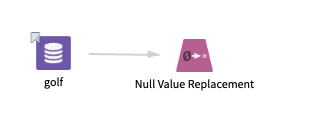
golf: This data set contains the following information:
- Multiple columns namely outlook, temperature, wind, humidity, and play.
- Multiple rows (14 rows).
Parameter Setting
The parameter settings for the golf data set are as follows:
-
Replace Null Columns: temperature, 0
-
Store Results: Yes
Output
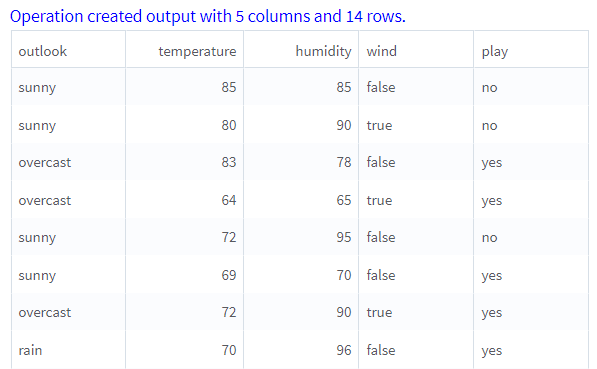
The following figure displays the output for the parameter settings for the golf data set.