Export to Excel (HD)
Exports multiple inputs as separate tabs to an Excel Workbook stored in the current workspace.

Information at a Glance
|
Parameter |
Description |
|---|---|
| Category | Tools |
| Data source type | HD |
| Send output to other operators | No |
| Data processing tool | n/a |
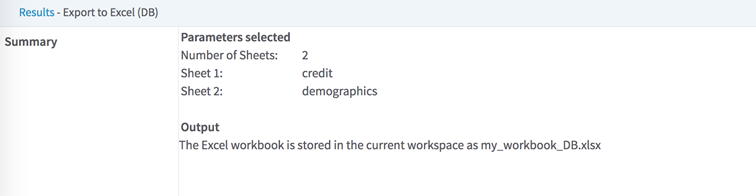
Export to Excel (HD) supports tabular HDFS inputs. The workbook sheet names are the (cleaned) input operator names, sorted alphabetically.
Input
Tabular data sets from preceding operators. Avro and Parquet inputs are supported.
Restrictions
If the workbook size is above the TIBCO Data Science – Team Studio work file size limit set for your instance, the operator fails and reports an error with the estimated file size and instance limitation value.
This setting is configurable in the TIBCO Data Science – Team Studio configuration properties in the file alpine.conf.
- custom_operator.excel_export.max_mb_input_size_alpine_server for Export to Excel (HD), maximum 30MB.
- custom_operator.excel_reader.max_mb_input_stream for Excel Reader (DB and HD), maximum 30MB.
Configuration
| Parameter | Description |
|---|---|
| Notes | Notes or helpful information about this operator's parameter settings. When you enter content in the Notes field, a yellow asterisk appears on the operator. |
| Output Workbook Name | Specify the name of the workbook stored in the TIBCO Data Science – Team Studio Workspace. |
| Create New Version if Exists |
true - A new version of the workbook is created in the workspace, and previous versions are still accessible through the work file version-control button. false - If a work file of the same name already exists, the operator fails with an output error message that notifies the user of the existing work file. |
Output