Set Operations
This operator combines the results from merging two or more queries into a single result set.

Information at a Glance
|
Parameter |
Description |
|---|---|
| Category | Transform |
| Data source type | TIBCO® Data Virtualization |
| Send output to other operators | Yes |
| Data processing tool | TIBCO® DV, Apache Spark 3.2 or later |
Input
There must be two or more tabular data sets used as inputs.
For the current release (7.0.1), a maximum of two data sets are accepted as inputs.
Restrictions
- The number and the order of the columns must be the same in all queries.
- The data types must be compatible.
Configuration
The following table provides the configuration details for the Set Operations operator.
| Parameter | Description |
|---|---|
| Notes | Notes or helpful information about this operator's parameter settings. When you enter content in the Notes field, a yellow asterisk appears on the operator. |
| Sets | Click Define Sets to display the Define Sets dialog. For more information, see the Define Sets dialog. |
| Output Schema | Specify the schema for the output table or view. |
| Output Table | Specify the table path and name where the output of the results is generated. By default, this is a unique table name based on your user ID, workflow ID, and operator. |
| Store Results | When set to Yes, the operator saves the results. If set to No, the operator does not save the results. |
Output
Example
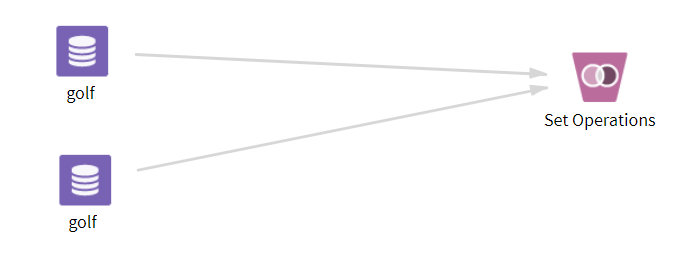
The following example demonstrates the Set Operations operator.
Data
golf: This data set contains the following information:
- Multiple columns namely outlook, temperature, wind, humidity, and play.
- Multiple rows (14 rows).
The parameter settings for the golf data sets are as follows:
-
Sets: UNION
-
play
-
outlook
-
-
Store Results: Yes
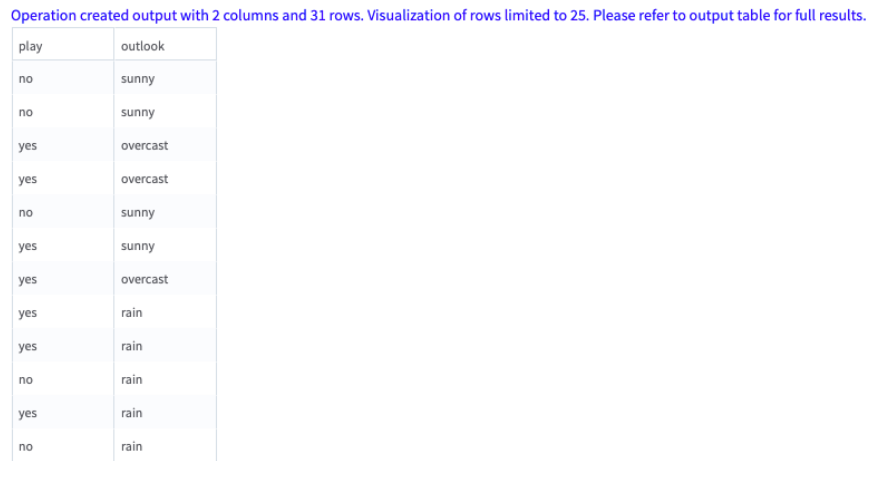
The following figure displays the output for the parameter settings for the golf data set.