Export to SBDF
This operator converts a tabular data set to the Spotfire Binary Data Frame (SBDF) format. The SBDF files are stored in the same workspace as the workflow and can be downloaded for use in TIBCO Spotfire®.

Information at a Glance
|
Parameter |
Description |
|---|---|
| Category | Tools |
| Data source type | TIBCO® Data Virtualization |
| Sends output to other operators | No |
| Data processing tool | TIBCO® DV, Apache Spark 3.2 or later |
Input
An input is a single tabular data set.
Restrictions
By default, the custom operator can export only up to 10 GB of data. You can modify this limit in the alpine.conf file by setting the following configuration.
custom_operator.sbdf_export.max_mb_input_size_alpine_server=10240
Configuration
The following table provides the configuration details for the Export to SBDF operator.
| Parameter | Description |
|---|---|
| Notes | Notes or helpful information about this operator's parameter settings. When you enter content in the Notes field, a yellow asterisk appears on the operator. |
| File Name |
Specify the name of the SBDF file stored in the TIBCO Data Science - Team Studio workspace. The .sbdf file extension should be omitted because the file extension is automatically appended to the file name. Note: The File Name must be unique for each operator.
|
| Description | Enter a brief description of the SBDF file for the current workflow. |
| Overwrite? | Specify whether to overwrite the SBDF file.
|
Output
- Summary: A text field displaying the summary of the output file.
Example
The following example demonstrates the Export to SBDF operator.
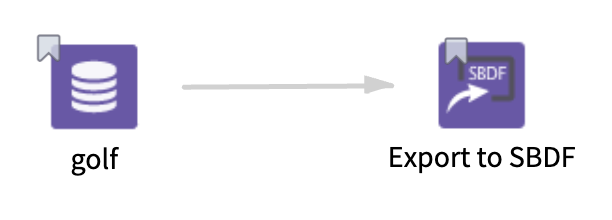
- Multiple columns namely outlook, temperature, wind, humidity, and play.
- Multiple rows (14 rows).
-
File Name: golf_sbdf_file
-
Description: SBDF file for the golf data set.
-
Overwrite?: Yes
