If the Bookmarks panel is not already visible, select View > Bookmarks.
In the Bookmarks panel, click
on the Edit button,  .
.
To reach the Edit Bookmark dialog:
If the Bookmarks panel is not already visible, select View > Bookmarks.
In the Bookmarks panel, click
on the Edit button, .
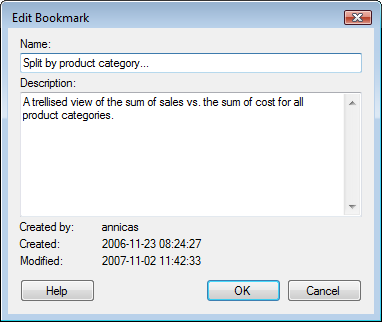
Option |
Description |
Name |
The name of the bookmark. |
Description |
Optional. A description of the bookmark and its contents. |
Created
by |
Shows the username who created the bookmark in the first place. |
Created |
Shows the date when the bookmark was created. |
Modified |
Shows the date when the bookmark was last modified. |
Note: To update the settings of a previously added bookmark, right-click on the bookmark in the Bookmark Panel and select Update.... This will update the selected bookmark components with the current settings.
See also: