Information and Warnings
Information Icons in Visualizations
If there are items in a visualization that cannot be shown or might be misinterpreted because of some settings, an icon will appear in the title bar of that visualization. If something cannot be shown, a notification icon,  , will appear. If there is a risk that something might be misinterpreted due to lack of data to calculate a curve or similar, a warning icon,
  , will appear. On mouseover, a tooltip will appear, and if you click the icon a longer description will appear.
Details Link
If you are currently running some heavy calculations, or, if there is some trouble with the loaded data or a calculation in the analysis, you will see a Details... link in the lower left corner of the TIBCO Spotfire window.
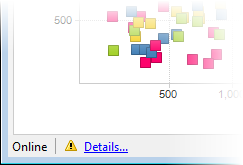
Click on the link to display progress information or notifications about current issues. You can copy alerts to the clipboard and use the information when communicating with others during troubleshooting of an analysis.