
Customization workflow
Before you create a customized app using Spotfire Deployment Kit for iPad, you should understand the workflow for taking the app from set up to deployment.
The following diagram illustrates the workflow for building a customized app.
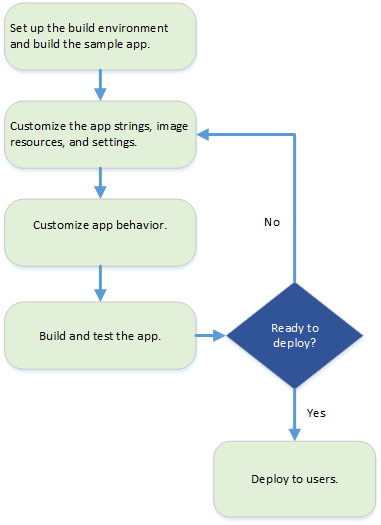
- Setting up the build environment
The first step to customize the TIBCO Spotfire® for iPad app is to ensure you can build the sample app provided in the Deployment kit. - Customize the app string, image resources, and settings
Begin the actual app customization by changing its most visible identifiers. - Customize app behavior
In addition to customizing strings, images, and settings, you can modify certain app behaviors to change the user experience.
Copyright © Cloud Software Group, Inc. All rights reserved.