Installing Statistica Service on a node manager for Spotfire Server
Before you begin
- Ensure that you have already installed Spotfire Server and then the Node Manager. To install Spotfire Node Manager, see "Installing a node manager" in TIBCO ® Spotfire Environment Installation and Administration
- Statistica Service can be installed only on Windows OS. For more information, see System Requirements .
- Permissions required: You must be a Statistica Server owner to deploy this service on Spotfire Server.
- Procedure
- In a browser, log in to Spotfire Server and, from the drop-down list on the title bar, select Deployment & Packages.
- On the Deployment & packages page, perform the following steps:
- Under Deployment areas, ensure that the correct deployment area is selected.
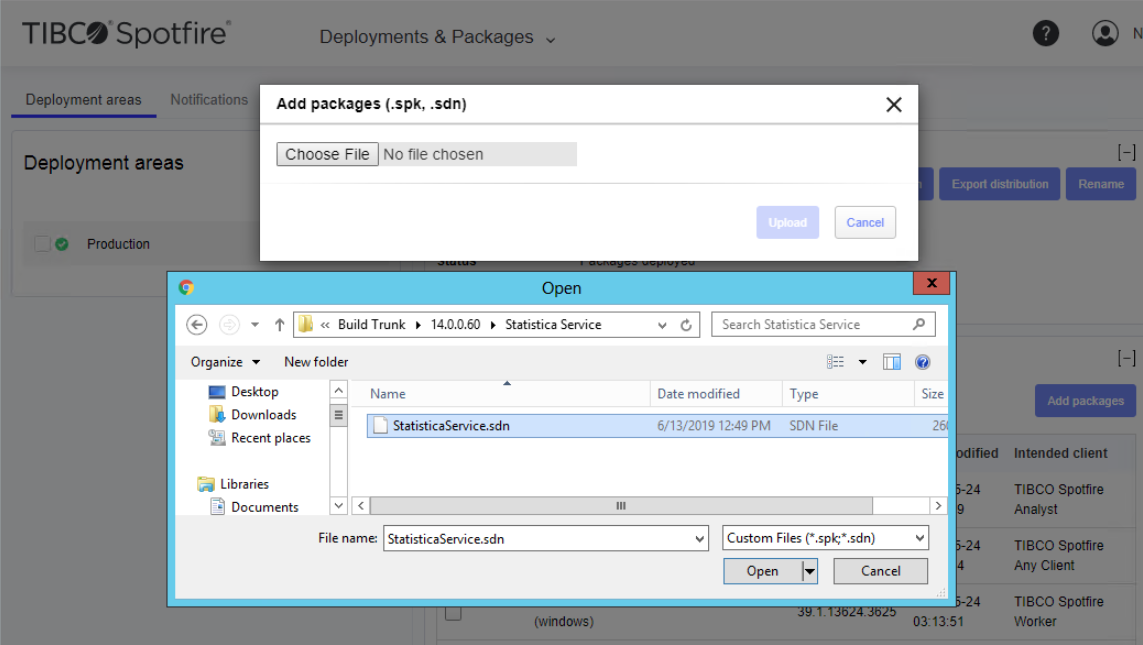
- In the Software packages section, click the Add packages button.
- In the Add packages dialog box that opens, browse and select the Statistica Service file (.sdn or .spk) and click
Upload.
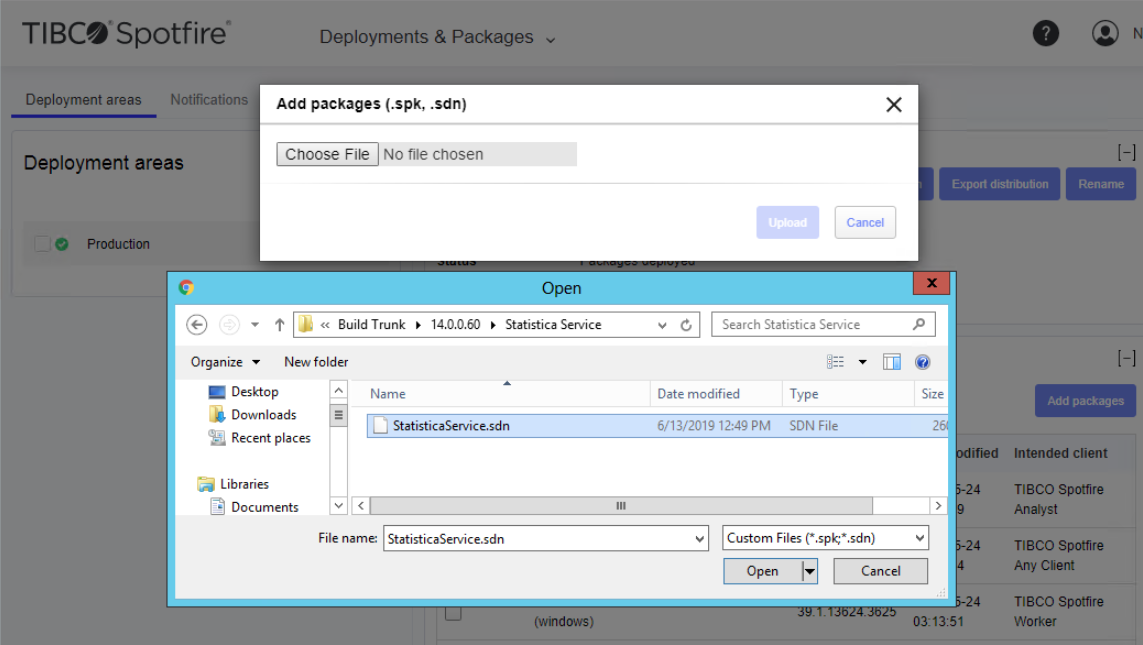
The Statistica Service and the Statistica Service Engine packages are displayed in the Software packages section.
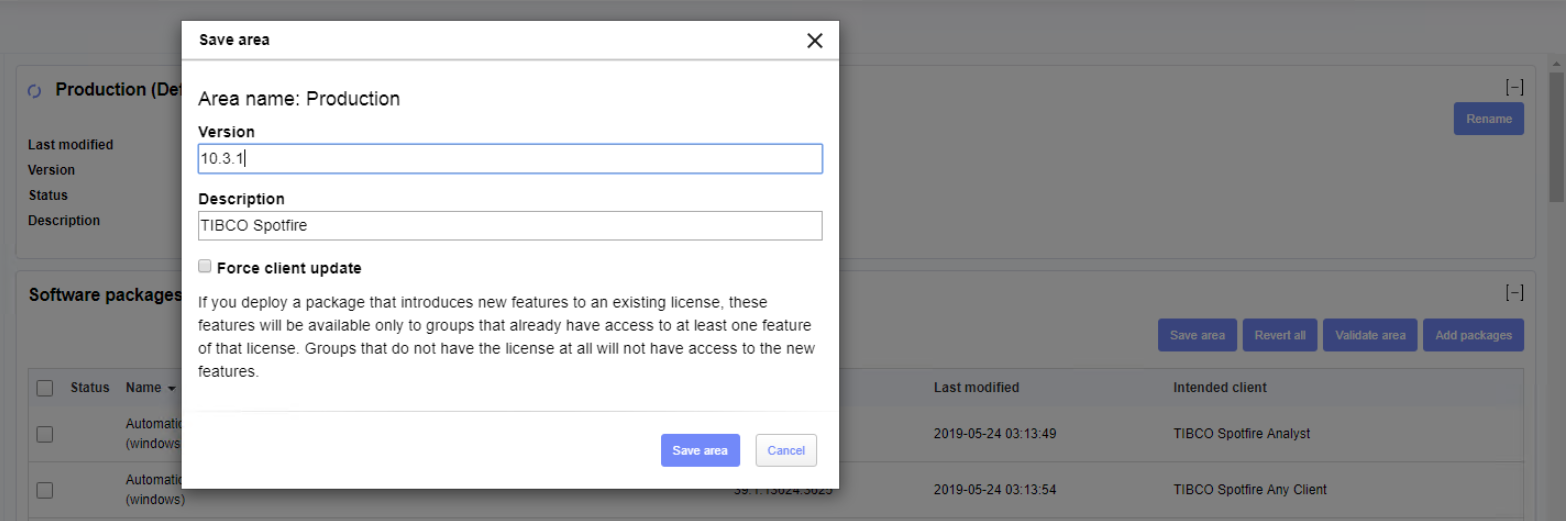
- Click
Save area.
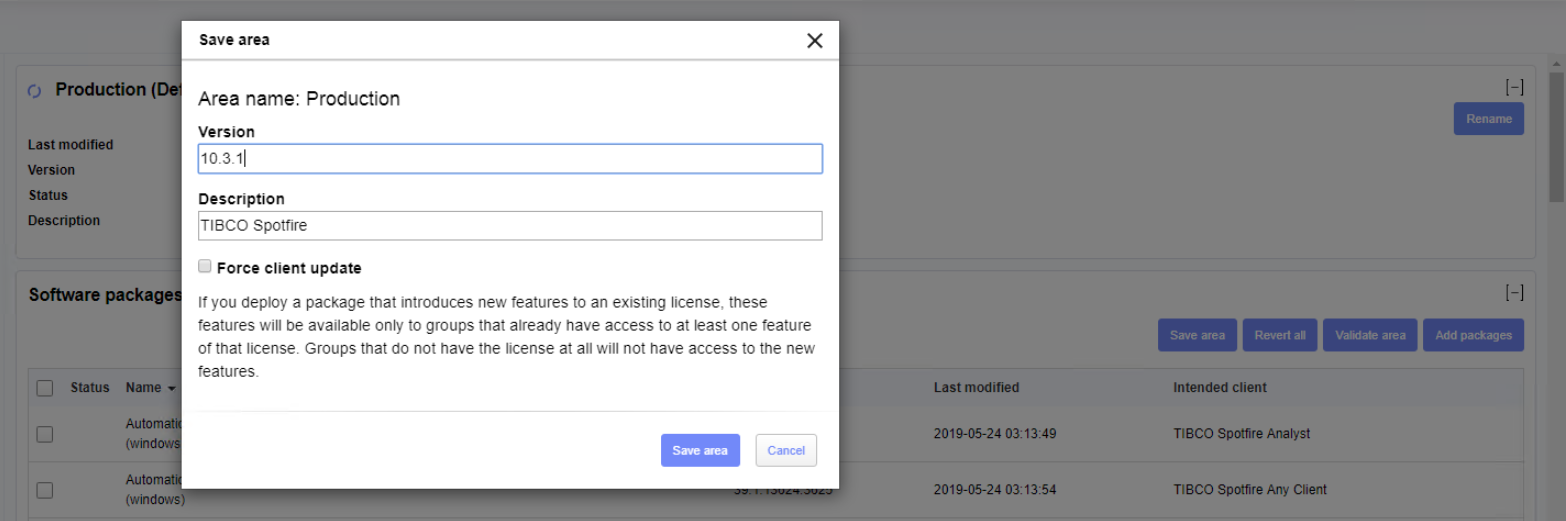
This stages the packages on Spotfire Server.