How do I transpose data (convert cases into variables)?
- Select the Data tab.
- In the Transformations group, click Transpose.
- From the drop-down menu, select either Transpose Block or Transpose File (descriptions of both are below).

Transposing a block of data
The block transposing command affects only the contents of cells in the block currently selected in the spreadsheet (the block must be square); the variable names and case names are not affected.
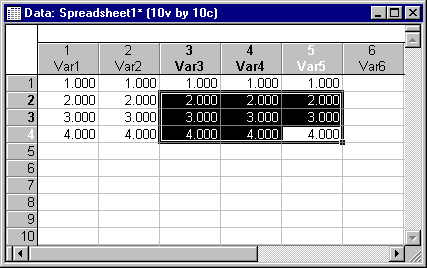
For example, the Transpose - Block command executed on the following square block of data:
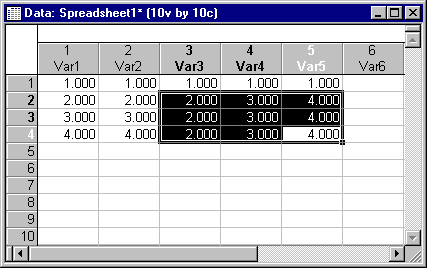
produces the following result:
Transposing a data file
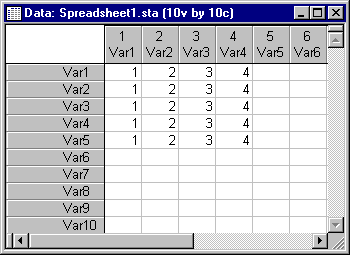
Data file transposing restructures the entire file. For example, transposing the data file previously shown (before the block was transposed), changes the number of cases and variables in the data file: