Function/Fit Values
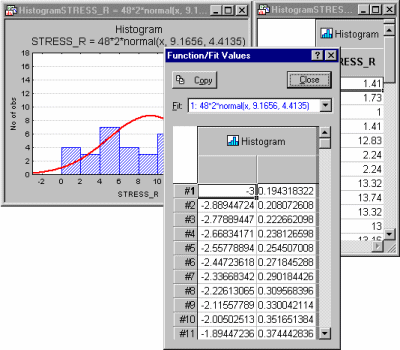
Select Fit Values from the Graph Data Editor shortcut menu or the Graph Data Editor Layouts tab or menu to display the Function/Fit Values display spreadsheet. This spreadsheet shows the fitted values that are plotted in the respective graph, for the respective plot. Note that the values displayed in the Function/Fit Values spreadsheet cannot be edited (changed).
For example, suppose you create a histogram with a normal fit. Next, display Graph Data Editor, for example by right-clicking on the graph and choosing Graph Data Editor from the shortcut menu. Then, with the Graph Data Editor active, select Fit Values - Plot 1 from the Layouts menu. You now have the following three windows on the screen.