
Using Functions
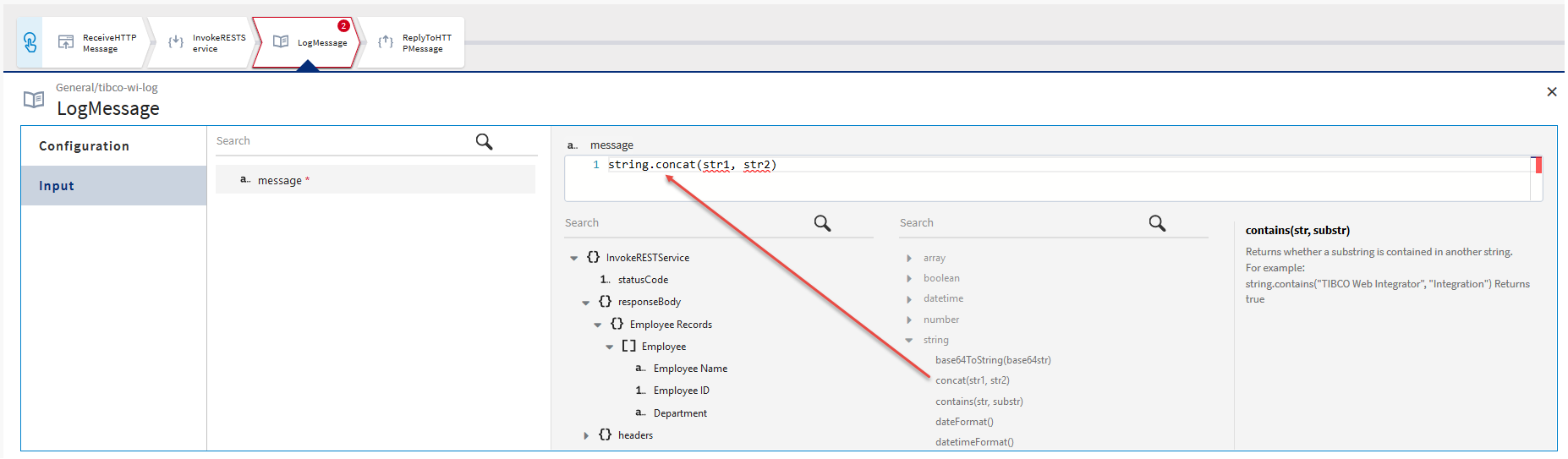
You can use a function from the list of functions in the right column of the mapper and provide the necessary input to the function by using the elements from the output fields in the left column of the mapper.
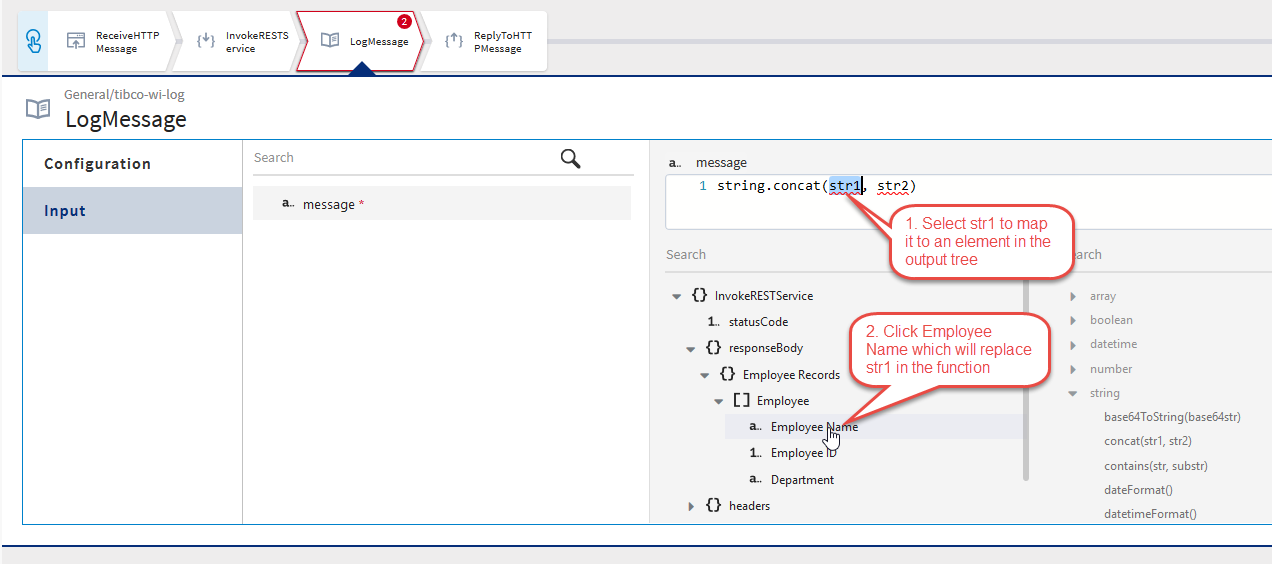
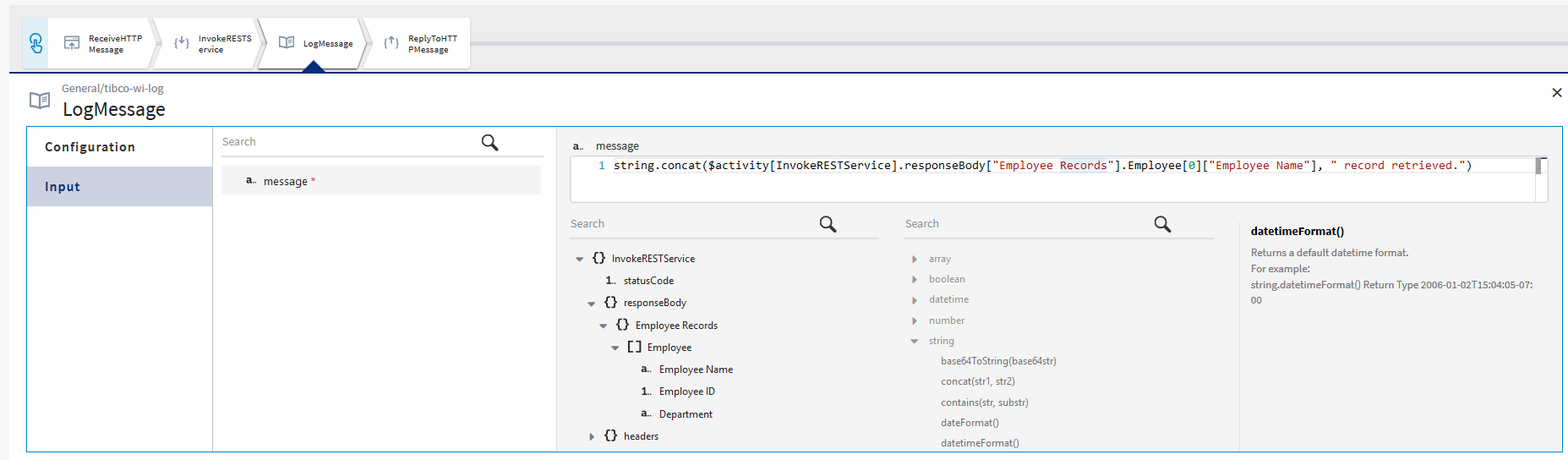
Here's an example that concatenates two strings and outputs the concatenated message and assigns it to message. We map the first string (str1) to id. The value for id comes from the output of the InvokeRESTService activity. We manually enter a string to replace str2 which will be concatenated to the value of id.
Procedure
Related tasks
Copyright © Cloud Software Group, Inc. All rights reserved.