Creating a Flow
Every app has at least one flow. Each flow can be attached to one or more triggers. You have the option to begin by creating a blank flow (flow without a trigger) too and attaching the flow to one or more triggers at a later time. Use the +Create link on the app page to create the first flow in an app. If there are existing flows in an app, click the Create button to create additional flows attached to a new trigger or to create a flow that is attached to the existing trigger, hover over the trigger and click New flow.
Prerequisites
-
An app can contain only one Lambda trigger. An app that has a Lambda trigger cannot contain any other triggers including another Lambda trigger. Also, the Lambda trigger supports only one handler per trigger so it can have only one flow attached to it. However, the apps that contain a Lambda trigger can contain blank flows that can serve as subflows for the flow attached to the Lambda trigger.
-
You can have only one S3 trigger in an app. An app that has an S3 trigger cannot contain any other triggers including another S3 trigger. The S3 trigger supports multiple handlers (flows), so you can have multiple flows in the app that are attached to the same S3 trigger. You can also have blank flows in the app which can serve as subflows for the flows that are attached to the S3 trigger.
-
You can have only one Gateway trigger in an app. An app that has an Gateway trigger cannot contain any other triggers including another Gateway trigger. The Gateway trigger supports multiple handlers (flows), so you can have multiple flows in the app that are attached to the same Gateway trigger. You can also have blank flows in the app which can serve as subflows for the flows that are attached to the Gateway trigger.
Follow these steps to create a flow:
Procedure
-
Click
Create.
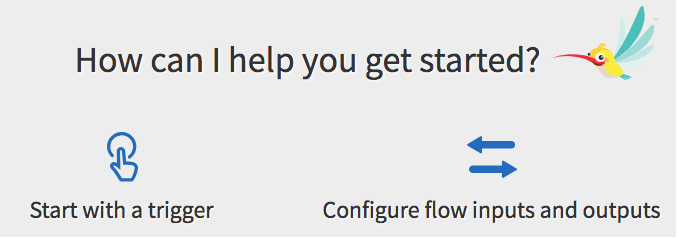
You will be prompted to select one of the following options:
- Start with a trigger - If you know the trigger with which you want to activate the flow, select this option. If this is the first flow, the Trigger catalog opens. Select a trigger from the catalog. Refer to the appropriate section under Starting with a Trigger for more details on the the type of trigger that you want to create. If there are existing flows attached to triggers, you get a dialog which gives you an option to either use an existing trigger or use a new trigger that has not been used in an existing flow within the app.
- Configure flow inputs and outputs - Select this option if you know the algorithm for the flow, but do not yet know the circumstances that will cause the flow to execute. It will create a blank flow that is not attached to any trigger. Flow inputs and outputs create a contract between the trigger and the flow. When you create a trigger, you must map the output of the trigger to the input to the flow. This contract serves as a bridge between the trigger and the flow. You have the option to attach your flow to one or more triggers at any later time after the flow has been created.
A flow gets created and it is attached to the selected trigger.