The Login Screen
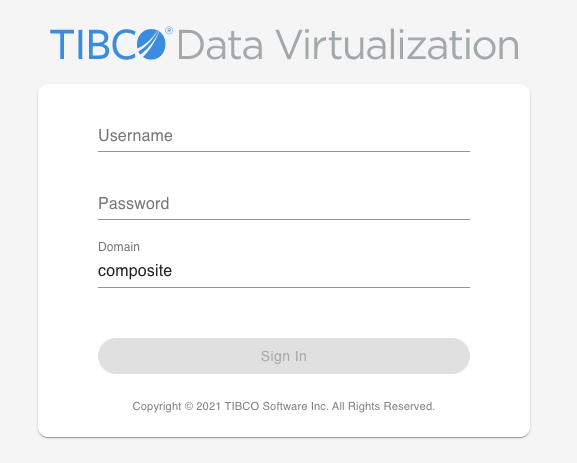
The following Login screen is displayed when:
1. You access the url for TDV Web UI (http://<hostname>:9400/webui).
2. You are in a different screen within the TDV Web UI and you have been logged out due to inactivity.
3. You choose to sign out of TDV Web UI.
Follow these instructions to login to TDV Web UI:
1. Provide the valid credentials for all the fields in the Login screen.
The table below describes the various fields in the Login screen.
2. Click on Sign in to Login to TDV Web UI.
Field | Description |
Username | The username required to login to TDV Web UI. Obtain a valid username from your TDV administrator. |
Password | The password required to login to TDV Web UI. Obtain a valid password from your TDV administrator. |
Domain | The domain to which the user belongs. |
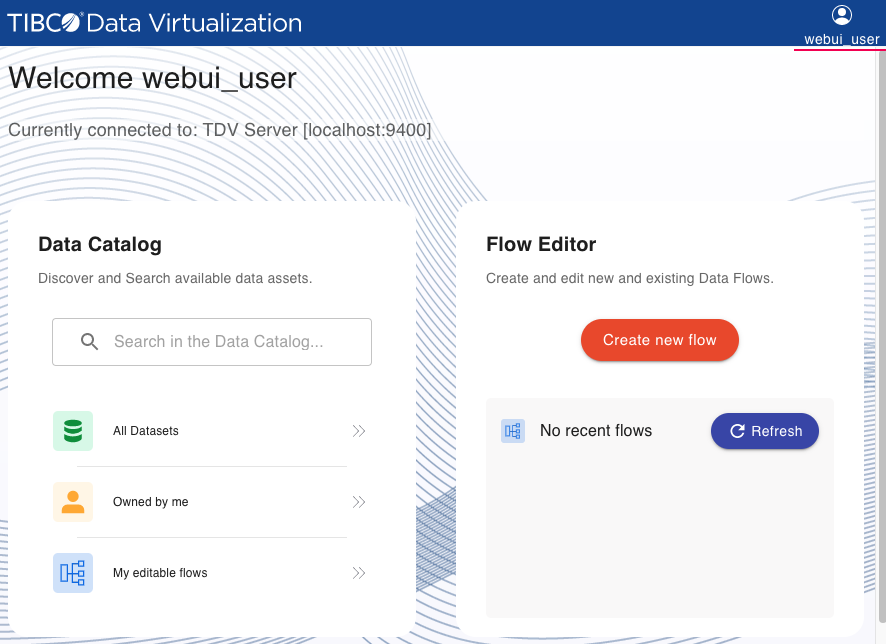
3. The following Web UI Home page is displayed.
You can either go to the Data Catalog to view or edit an existing flow or create your own flow in the Flow Editor, by clicking on the Create New Flow button.