Expression Editor
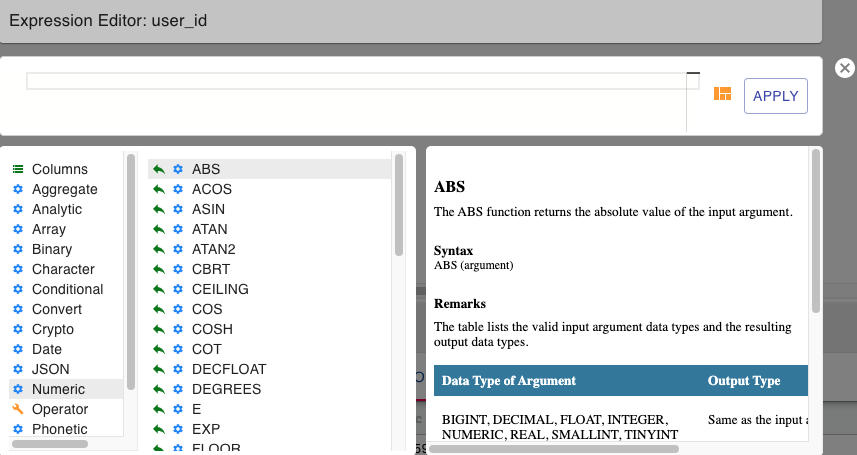
The Expression editor can be accessed either through the Filter or the Columns operators. You can build your own arbitrary expressions using the Expression editor. The following window is displayed when you choose to write your own
expression from the Columns/Filter operator’s configuration pane.
A list of all the supported functions and a syntax help is provided in the Expression Editor window. Follow these steps to add the function and build your expression:
1. Choose the column you want to write the expression for.
2. Choose a function from the list of functions displayed.
3. Click on the green icon next to the function name to insert it into the editor.
4. Complete the expression by providing the required parameter values for the function.
5. Click on Apply. You can validate the expression by reviewing the data displayed in the data preview pane.