Editing Group Membership
To edit group membership
| 1. | Using Manager, choose Group Management from the SECURITY tab. |
| 2. | Select a single group using the check box in the left column. |
| 3. | Click Edit Users. |
| 4. | Add users who should belong to the group. |
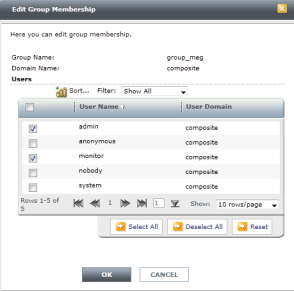
| 5. | Click OK. |
Edit group membership for a single user
| 6. | Using Manager, choose User Management from the SECURITY tab. |
| 7. | Select a single user. |
| 8. | Click Edit Group Membership. |
| 9. | Select those groups to which the user should belong. |
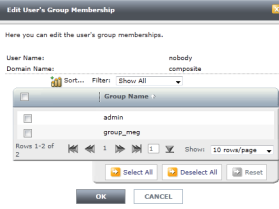
| 10. | Click OK. |