Changing the Resource Focus
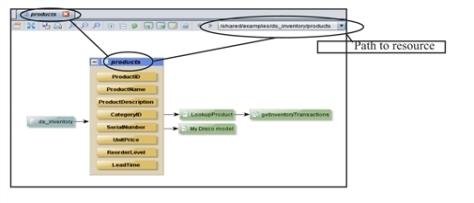
When you view a lineage graph, the resource on which the lineage graph is based is displayed with a blue title bar. From this graph, you can change the focus to another resource to get more information about the dependencies and relationships.
To change the resource focus
| 1. | Open the lineage for a resource. |
| 2. | Change the focus by either of these: |
| — | Double-click any resource in the graph to view its lineage. |
Studio displays the lineage for the selected resource. Its title bar is blue and the lineage panel tab shows the name of the new resource.
Note: The history list is updated and you can return to any previous lineage display.
| — | Right-click any resource and choose Open to open the resource’s editor in a new tab. |