
Security Settings for Windows
To properly utilize TIBCO Graph Database the user that is initializing the Graph Database must be given the necessary privileges.
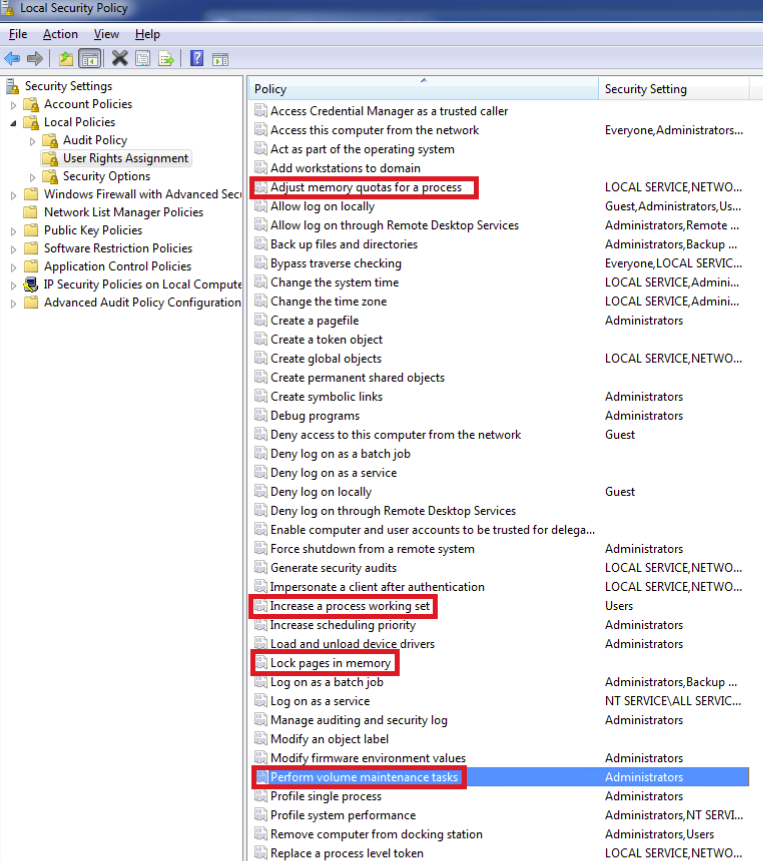
- Use the security policy tool by running secpol.msc with the Windows Run tool.
- Click
to grant the following tokens:
- Adjust memory quotas for a process
- Increase a process working set
- Lock pages in memory
- Perform volume maintenance tasks
- You should also disable the UAC (User Access Control). To disable UAC:
Copyright © Cloud Software Group, Inc. All rights reserved.