Creating Synonyms and Examples for the Adapter
- Right-click a connection for the Adapter for ibi™ WebFOCUS® Client and click Show DBMS objects.
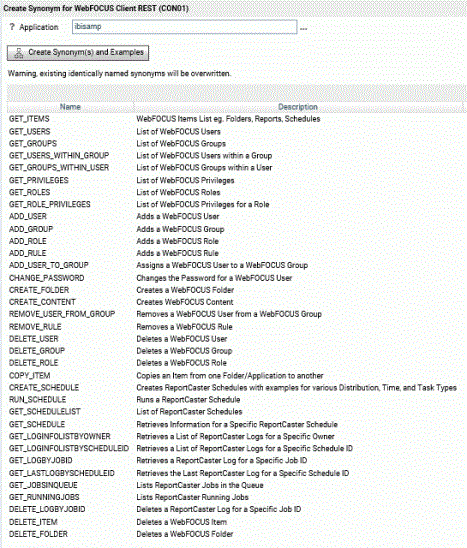
The Create Synonym for WebFOCUS Client page opens, as shown in the following image.
- Right-click a connection for the Adapter for WebFOCUS Client and click Show DBMS Objects.
The Create Synonym for ibi™ WebFOCUS® Client page opens.
- Enter an application name for the synonyms and examples in the Application text box, or click the ellipsis (...) to browse to an application.
- Click Create Synonym(s) and Examples.
A set of synonyms and a folder with FOCEXECs is created and added in the application directory you selected.
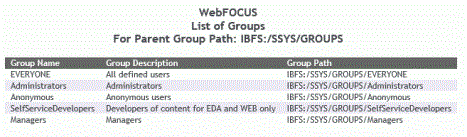
For example, running the get_groups FOCEXEC with the default WebFOCUS groups configured produces the output shown in the following image.