Creating Metadata and Sample Reports for the Adapter for Esri ArcGIS Using Premium API Calls
Create Synonym for the Adapter for Esri ArcGIS creates the metadata and sample WebFOCUS reports used for WebFOCUS reporting against data returned from the Premium ESRI ArcGIS Online API calls.
How to Create Metadata and Sample Reports for Premium API Calls
- Procedure
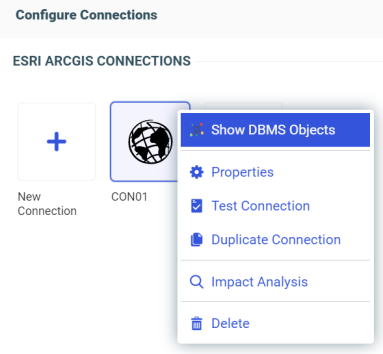
- Right-click the configured connection for the ESRI ArcGIS
connection (for example, CON01) that has access to Premium ArcGIS
Online API calls, and click Show DBMS Objects from
the context menu, as shown in the following image.
The Create Synonym for theESRI ArcGIS pane opens, as shown in the following image.
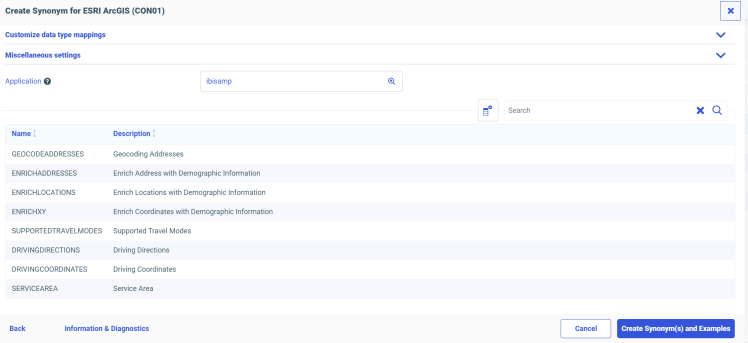
- Type a specific application in the Application field, or click the ellipsis button to the right of the field to select an application where the metadata and sample reports are to be stored.
- Click Create Synonym(s) and Examples.
The Create Synonym for the ESRI ArcGIS Status pane opens and indicates that the synonym was created successfully.