Configuring the Mapping for SharePoint Drive
This section describes how to configure the mapping for Sharepoint Drive.
Configure the Mapping for SharePoint Drive
- Procedure
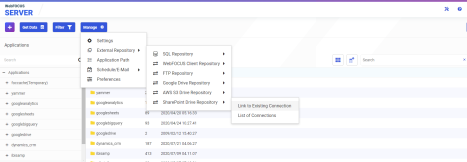
- From the Application page of the WebFOCUS Reporting Server browser interface, click Manage, point to External Repository, then SharePoint Drive Repository, and click Link to Existing, as shown in the following image.
- Select the connection name for SharePoint Drive, as shown in the following image.
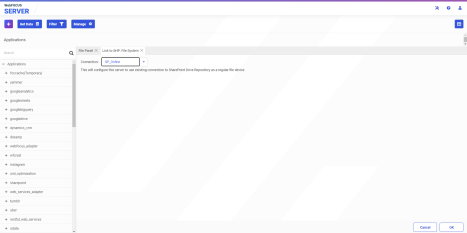
- Click OK.
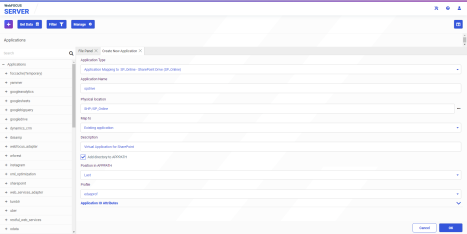
A SharePoint Drive application configuration screen opens, as shown in the following image.
- Perform the following steps.
- Enter a new Application Name and, optionally, a Description for the application.
For example:
Application Name: spdrive
Description: Virtual Application for SharePoint
- From the Map to dropdown box, select New application (directory will be created).
- Enter a new Application Name and, optionally, a Description for the application.
- Click OK.
Depending on the Internet speed and the number of files on the SharePoint Drive, the mapping process could take a number of minutes to complete.
When complete, the message Command executed successfully will appear.