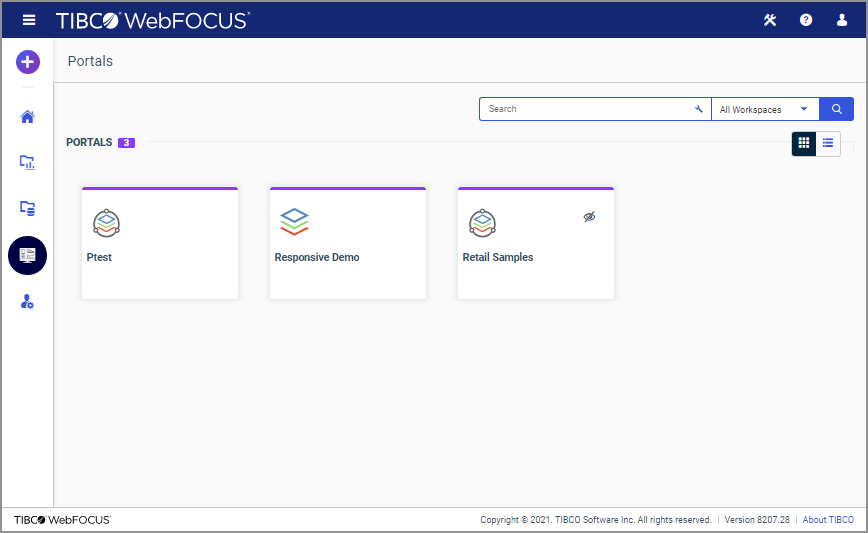
The Portals area displays all the portals that are currently available in your repository in one centralized location. Depending on your permissions, you can run and edit a portal from this directory. You can also add a portal to Favorites and view its properties. An example of the Portals area is shown in the following image.
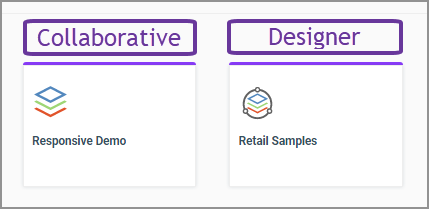
There are two types of portals that can be accessed in the Portals area: collaborative and designer. These types of portals are distinguished by their icons in the tile view. Collaborative portals display with the vertical stack icon, while the icon for designer portals shows the vertical stack inside a circle. The following image displays two different types of portals annotated.
Note: If you have basic portals in your environment, you can only access them from the Portals node of the Legacy Home Page.
In the list view, you can modify your display by using the Select columns displayed button and selecting the columns that are useful for this type of content. For example, you can add the Path column and use the values displayed in this column to build a direct shareable URL to a specific portal.