Security monitoring and administration is done from the node
Security tab. The following commands are accessed from
the Security tab.
AddLocalauthentication source. See the section called “Add principal”.Audit- audit the administrative commands security configuration. See the section called “Audit security”.Export- export the node'sLocalauthentication source's user configuration. See the section called “Export user configuration”.Remove- remove a principal definition from the node'sLocalauthentication source. See the section called “Remove principal”.Reset- reset a password in the node'sLocalauthentication source. See the section called “Reset password”.Update- update a principal definition, other than password, in the node'sLocalauthentication source. See the section called “Update principal”.
Figure 5.3, “Security information” shows the security
information displayed from the Security tab.
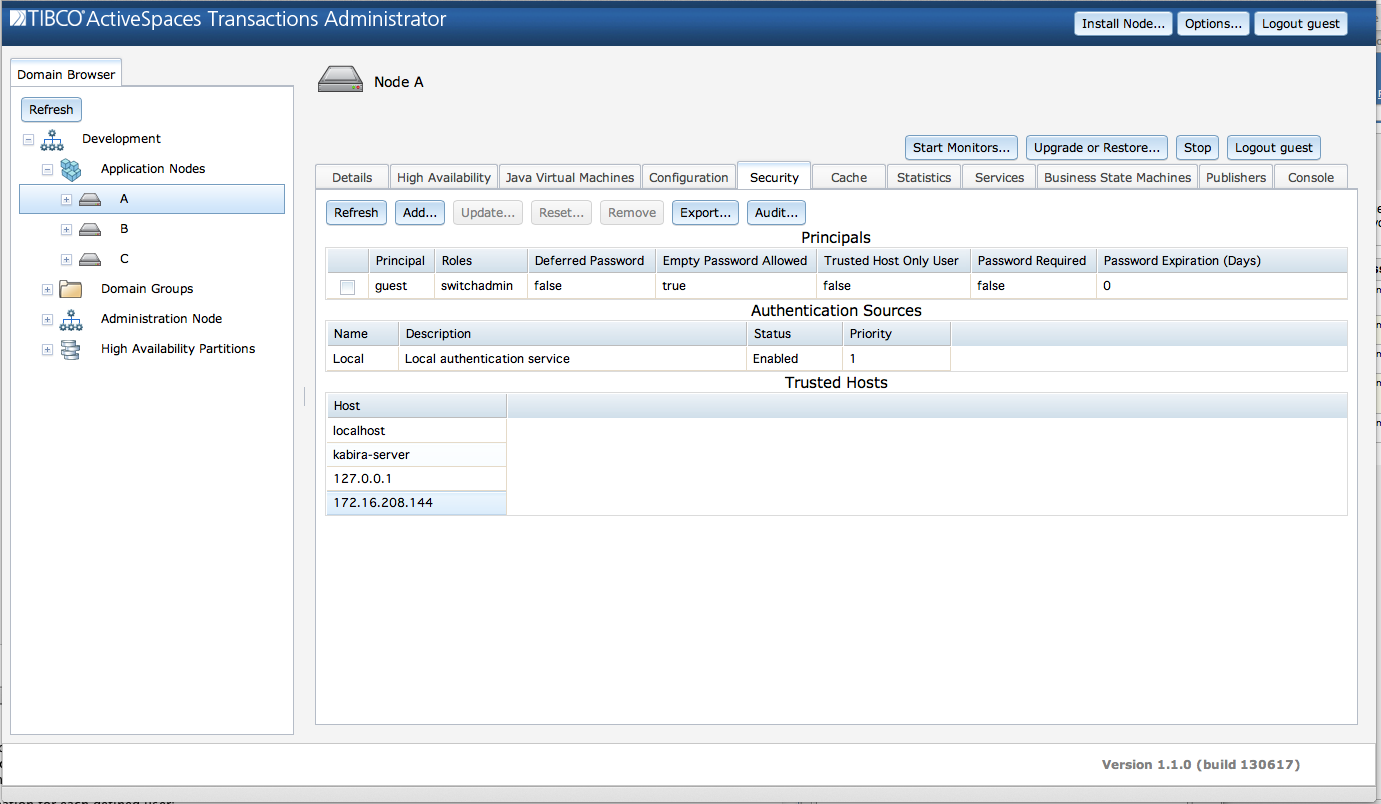
This screen consists of these sections:
Principals - all principals defined in the
Localauthentication source for this node.Authentication Sources - all authentication sources being used by this node.
Trusted Hosts - the trusted host defined by this node.
The Principals section shows this information for
each principal defined in the node's Local
authentication source:
Principal - Principal name.
Roles - Roles granted to this principal.
Deferred Password - A value of
trueindicates that this principal's password was reset, and the new password will be set the next time they access the node. A value offalseindicates that this principal is either not using deferred password definition, or they have accessed the node and set a new password.Empty Password Allowed - Empty password support is deprecated. It will be removed in a future release.
Trusted Host Only User - A value of
trueindicates that this principal can only access this node from a trusted host. A value offalseindicates that this principal can access this node from any host.Password Required - A value of
trueindicates that this principal must always provide a password - they cannot use trusted hosts. A value offalseindicates that this user can use trusted hosts without providing a password. A password is always required from a non-trusted host.Password Expiration (Days) - The password expiration time in days. A value of zero indicates that the password does not expire.
This information can also be displayed using:
administrator servicename=A display security type=principals
The Authentication Sources section shows this
information for each configured authentication source:
Name - Authentication source name.
Description - Authentication source description.
Status -
Enabledif the authentication source is being used for authentication.Disabledif the authentication source is not being used for authentication. If there is no active authentication source configuration then theLocalauthentication source will be the onlyEnabledauthentication source.Priority - Numeric priority of the authentication source. The lower the number the higher the priority. The highest priority is one. This field has no value if the authentication source status is
Disabled.
This information can also be displayed using:
administrator servicename=A display security type=authenticationsources
The Trusted Hosts section shows this information
for each configured trusted host:
Host - host name or IP address for a configured trusted host.
This information can also be displayed using:
administrator servicename=A display security type=hosts
Principals are added to a the node's
Local authentication source using the Add
Principal dialog shown in Figure 5.4, “Add principal”
accessed from the Add... button.
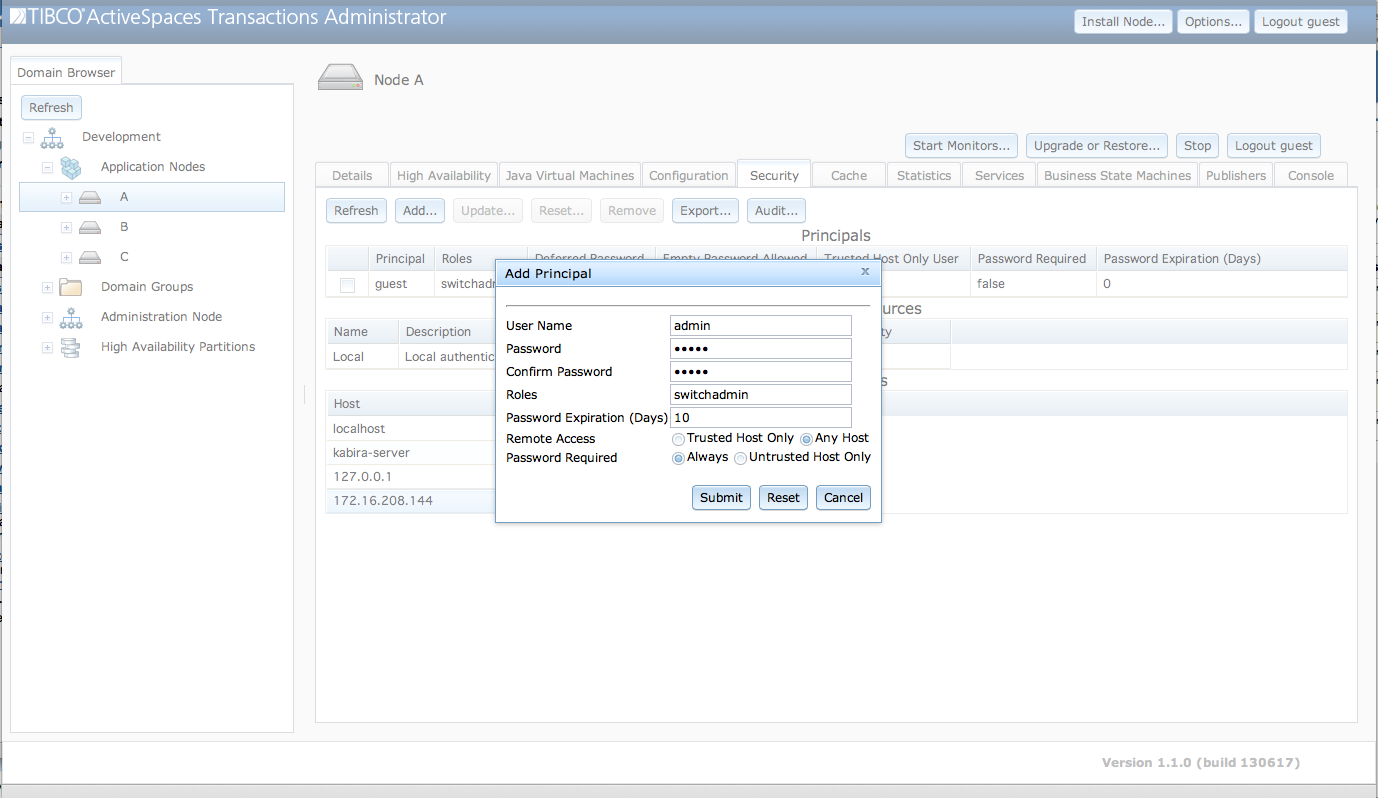
The fields in the Add Principal dialog
are:
User Name - A unique user name for this principal.
Password - Initial password for this principal.
Confirm Password - Password confirmation.
Roles - A space separated list of roles to assign to this principal.
Password Expiration (Days) - Password expiration in days. A value of zero indicates that the password does not expire.
Remote Access - Control hosts from which this principal can access this node.
Trusted Host Onlyindicates that this principal can only access this node from a trusted host.Any Hostindicates that this principal can access this node from any host.Password Required - Control when this principal must provide a password to access this node.
Alwaysindicates that this principal must always provide a password. They cannot use the trusted host facility.Untrusted Host Onlyindicates that this principal is only required to provide a password from an untrusted host.
Clicking on the Submit button will add the new
principal to the node after validating that the password values
match.
Principals can also be added using:
administrator servicename=A add security \
   username=admin roles=switchadmin passwordexpirationdays=10 \
   trustedhostuser=false passwordrequired=true
When a node starts a security audit is automatically run as part of node startup. It can also be run after a node is started to validate any changes in security configuration, or application features added at runtime.
Security audits are done using the Security
Audit dialog shown in Figure 5.5, “Audit security”
accessed from the Audit... button.
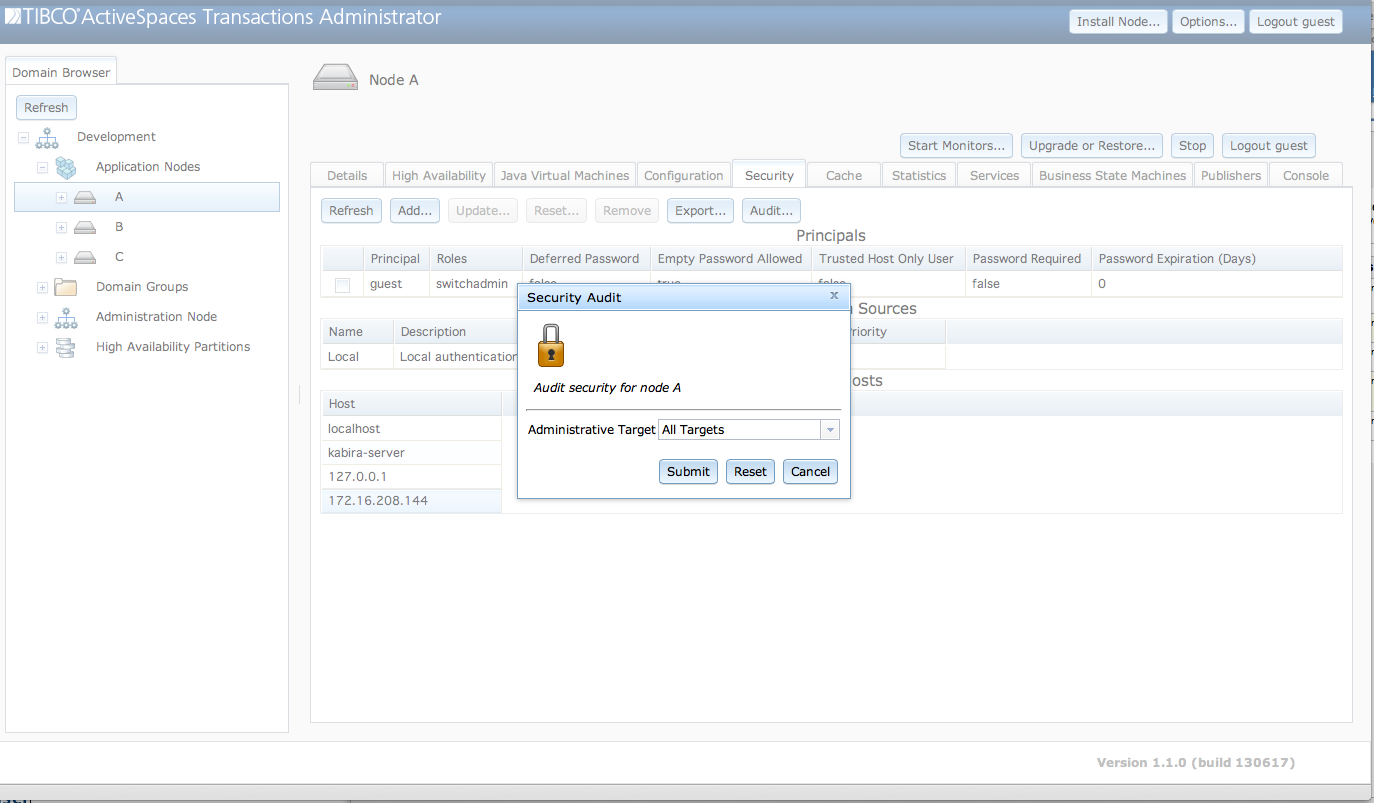
The fields in the Security Audit dialog
are:
Administrative Target - A drop-down list of all administrative targets installed on the node. The default
All Targetsvalue will audit all installed administrative targets, or a specific target to audit can be selected from the drop-down list.
Clicking on the Submit button will perform the
audit.
A security audit can also be performed using:
administrator servicename=A audit security
Configuration for all principals defined on a node can be
exported using the Export Users dialog show in Figure 5.6, “Export user configuration”. This dialog is accessed from
the Export... button. Exported user configuration can
be reloaded and activated on a node using the standard node
configuration mechanisms described in the section called “Managing configuration”.
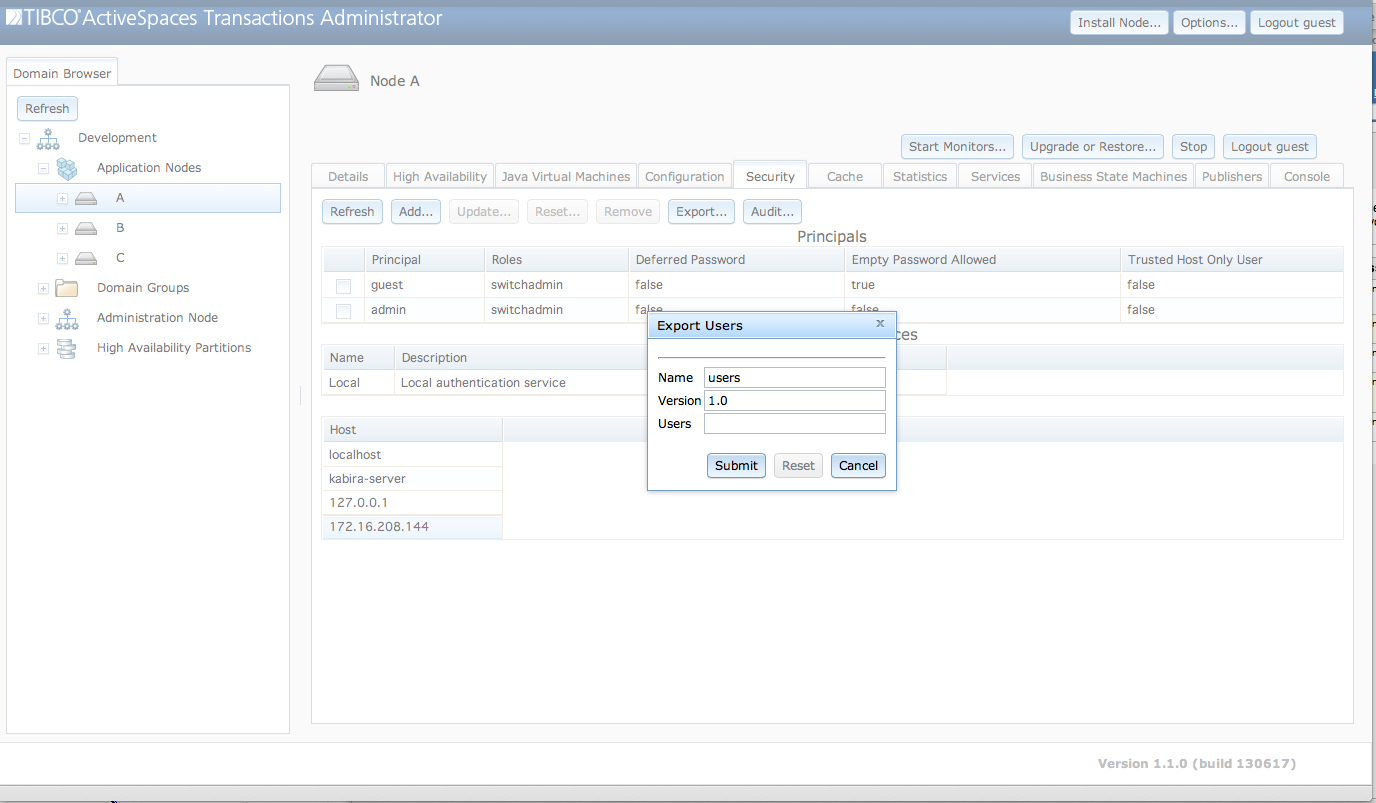
The fields in the Export Users dialog
are:
Name - Configuration name used for export.
Version - Configuration version used for export.
Users - Optional space separated list of users to export. If specified, only the users in this list are exported.
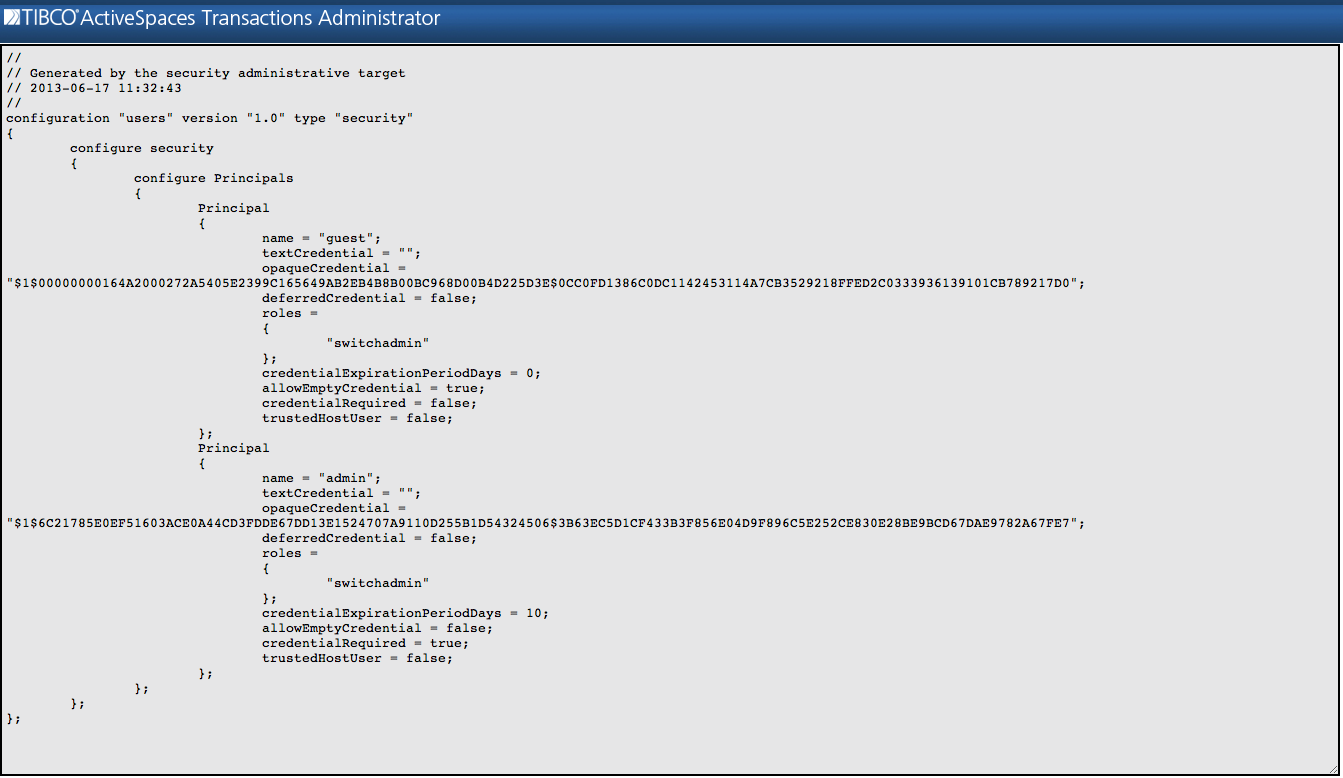
When the Submit button is clicked, another
window is displayed which contains the user configuration (see Figure 5.7, “Exported user configuration”). Notice that the
credential information is encoded as an opaque value in the
opaqueCredential field - no clear text passwords are
displayed.
Security configuration can also be exported using this command:
administrator servicename=A export security name=users version=1.0
Passwords are reset using the Reset
Password dialog shown in Figure 5.8, “Reset password”
accessed from the Reset... button.
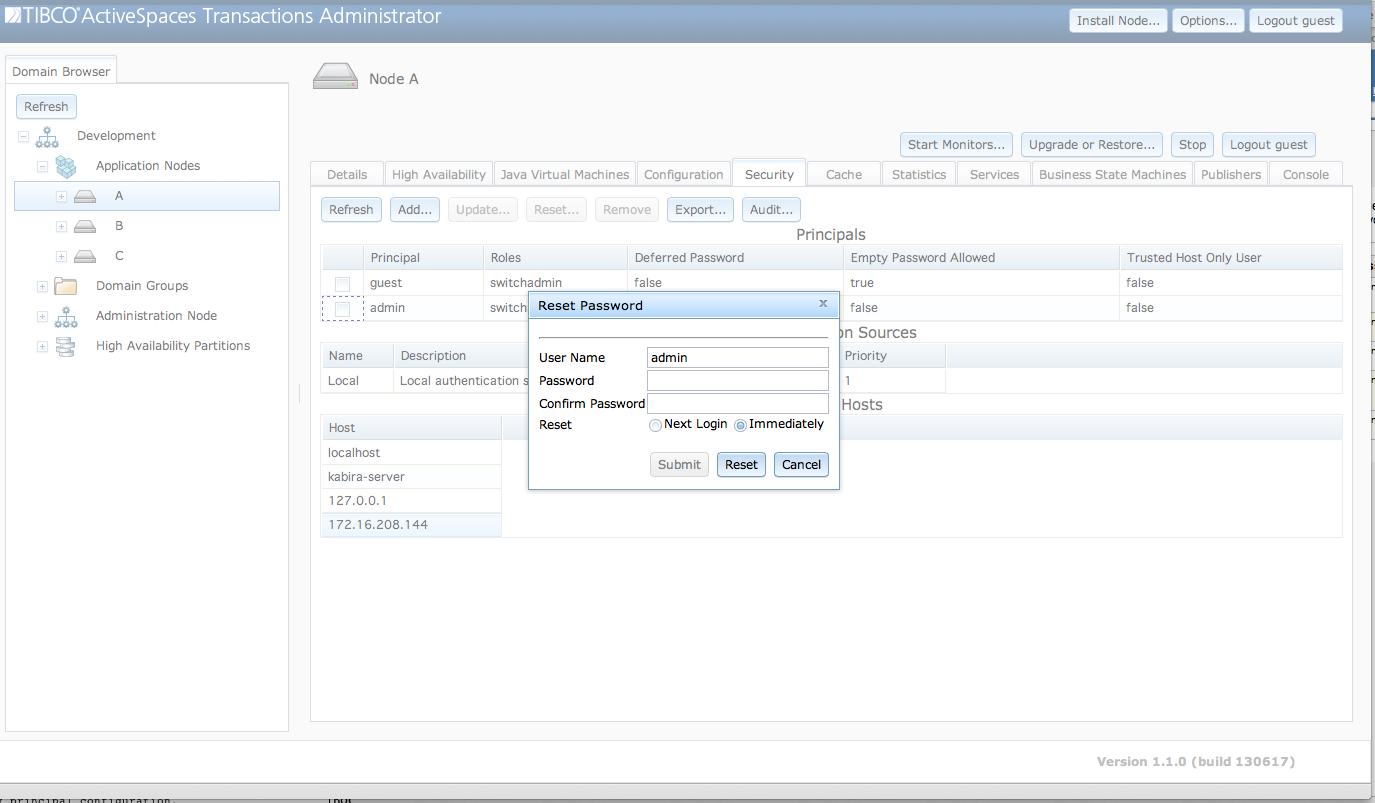
The fields in the Reset Password dialog
are:
User Name - User name being reset. This field is read-only. It is set to the user selected in the
Principalstable.Password - New password, or empty if
Next Loginis set inReset.Confirm Password - Confirm password.
Reset -
Next Loginindicates that the password is set using the password provided by the user's next authentication. IfNext Loginis checked, no password can be specified in this dialog.Immediatelyindicates that the password is reset immediately. The new password must be specified in this dialog.
When the Submit button is clicked the password
has been reset.
Passwords can also be reset using this command:
administrator reset security username=admin
Principals are removed from a node by selecting a
principal in the Principals table as shown in Figure 5.9, “Remove principal” and clicking on the
Remove button.
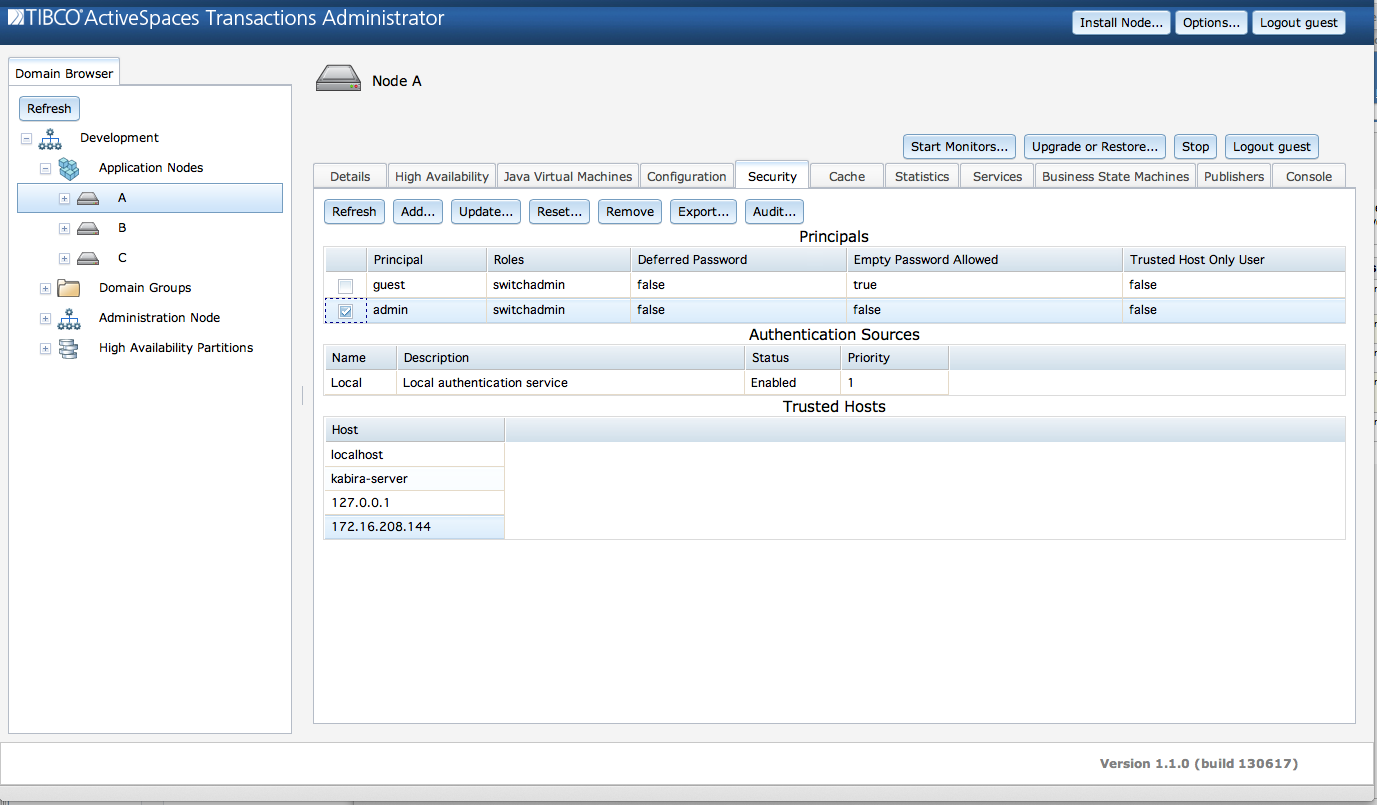
When the Submit button is clicked the principal
has been removed.
Principals can also be removed using this command:
administrator remove security username=admin
Principals are updated using the Update
Principal dialog shown in Figure 5.10, “Update principal” accessed from the
Update... button.
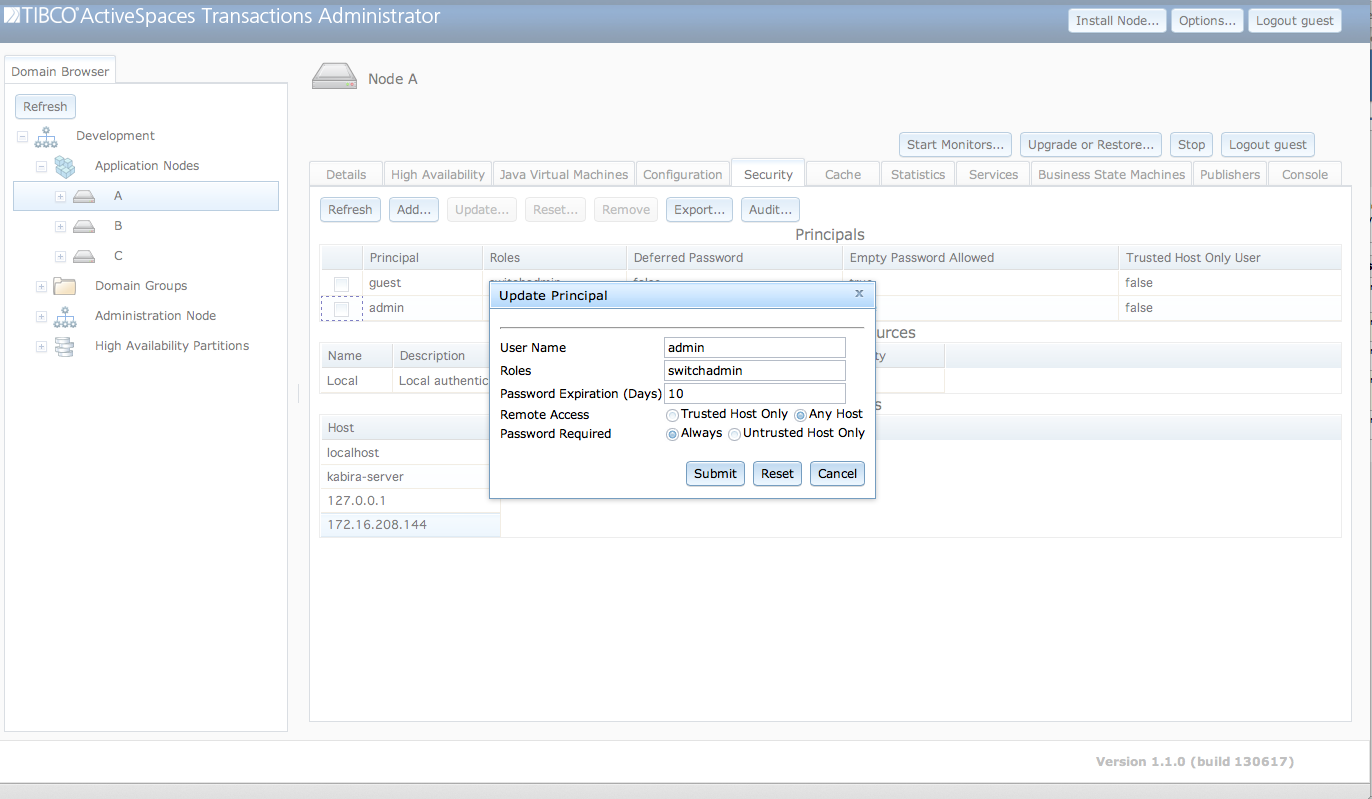
The fields in the Update Principal dialog
are:
User Name - User name being updated. This field is read-only. It is set to the user selected in the
Principalstable.Roles - A space separated list of roles for this principal.
Password Expiration (Days) - Password expiration in days. A value of zero indicates that the password does not expire.
Remote Access - Control hosts from which this principal can access this node.
Trusted
          Host Only
indicates that this principal can only access this node from a trusted host.Any Hostindicates that this principal can access this node from any host.Password Required - Control when this principal must provide a password to access this node.
Alwaysindicates that this principal must always provide a password. They cannot use the trusted host facility.Untrusted Host Onlyindicates that this principal is only required to provide a password from an untrusted host.
The fields contain the current values for the principal when the
dialog is initially displayed. When the Submit button
is clicked any changed values are updated for the principal.
Principals can also be updated using this command:
administrator servicename=A update security \
    username=admin roles=switchadmin \
    passwordexpirationdays=10 trustedhostuser=false passwordrequired=true