Before packaging a plug-in, you have to export the design, runtime, and model features one by one.
Procedure
-
In TIBCO Business Studio with the running platform selected, click
from the menu.
-
In the
Select dialog, click the
Plug-in Development folder and select
Deployable features. Click
Next.
-
In the
Deployable features dialog, select the design-time feature in the
Available Features area.
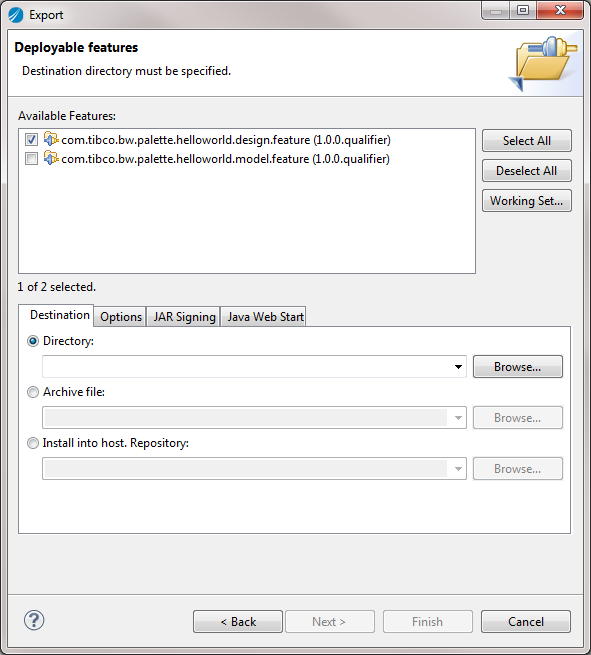
-
In the
Destination tab, click
Browse next to the
Directory field and locate the folder where the design-time feature is exported. Click
Finish.
An
artifacts.jar file, a
content.jar file, a
folder, and a
plugins folder are exported to the specified location.
-
Repeat
Step 1 to
Step 4 to export the model and runtime features respectively.
Note: Ensure that the target platform is bw-runtime when exporting the runtime feature. See
Target Platform for more details.
Copyright © Cloud Software Group, Inc. All Rights Reserved.