
Running the Sample Project
You must configure the TIBCO AuditSafe Shared Resource Connection packaged in the sample before running the process.
Prerequisites
Procedure
-
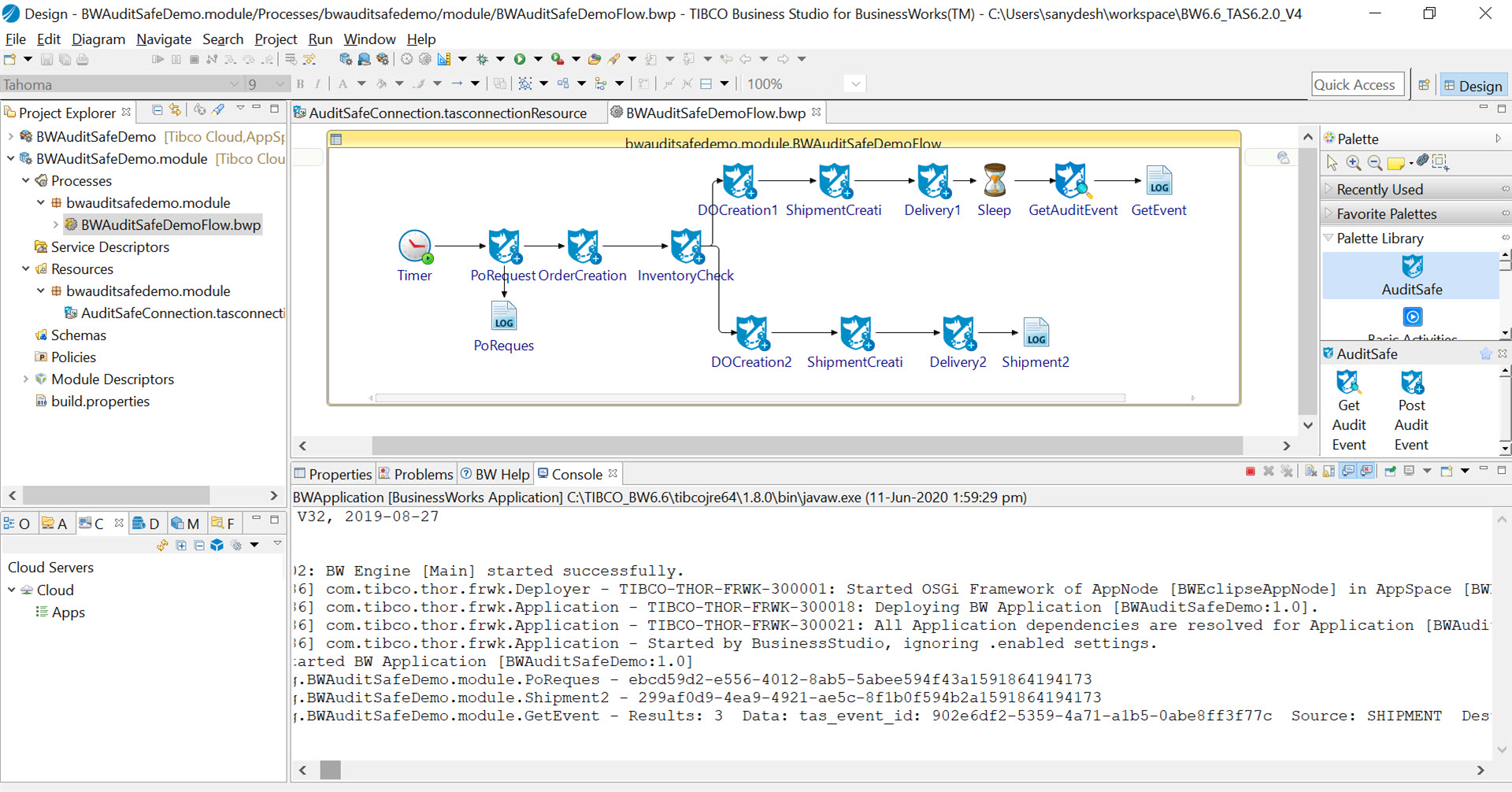
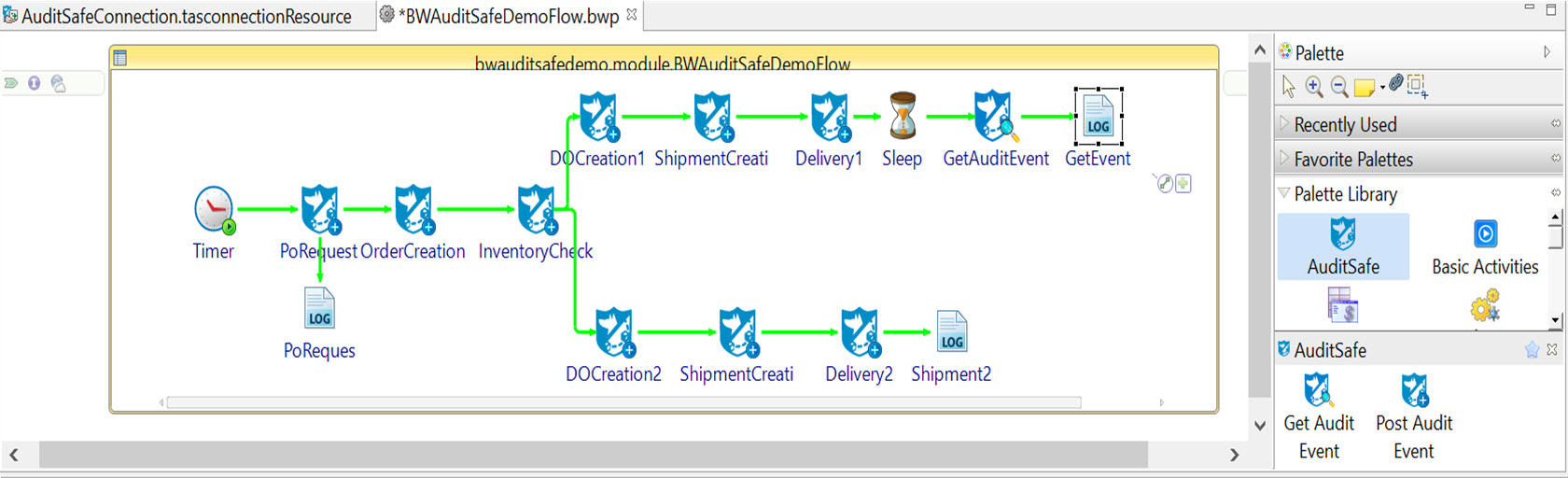
To configure the properties of an activity, click on any one of the activities in the flow, displayed in the
Process Editor and then click on the
Input
tab in the Properties view.
For more details about input fields and output fields of the activities, see Post Audit Event Activity and Get Audit Event Activity.
-
After the process runs successfully, click the stop
 icon to stop the process in the Console view.
-
To run the process with the predefined properties of the activity, skip
Step 6.
Result:
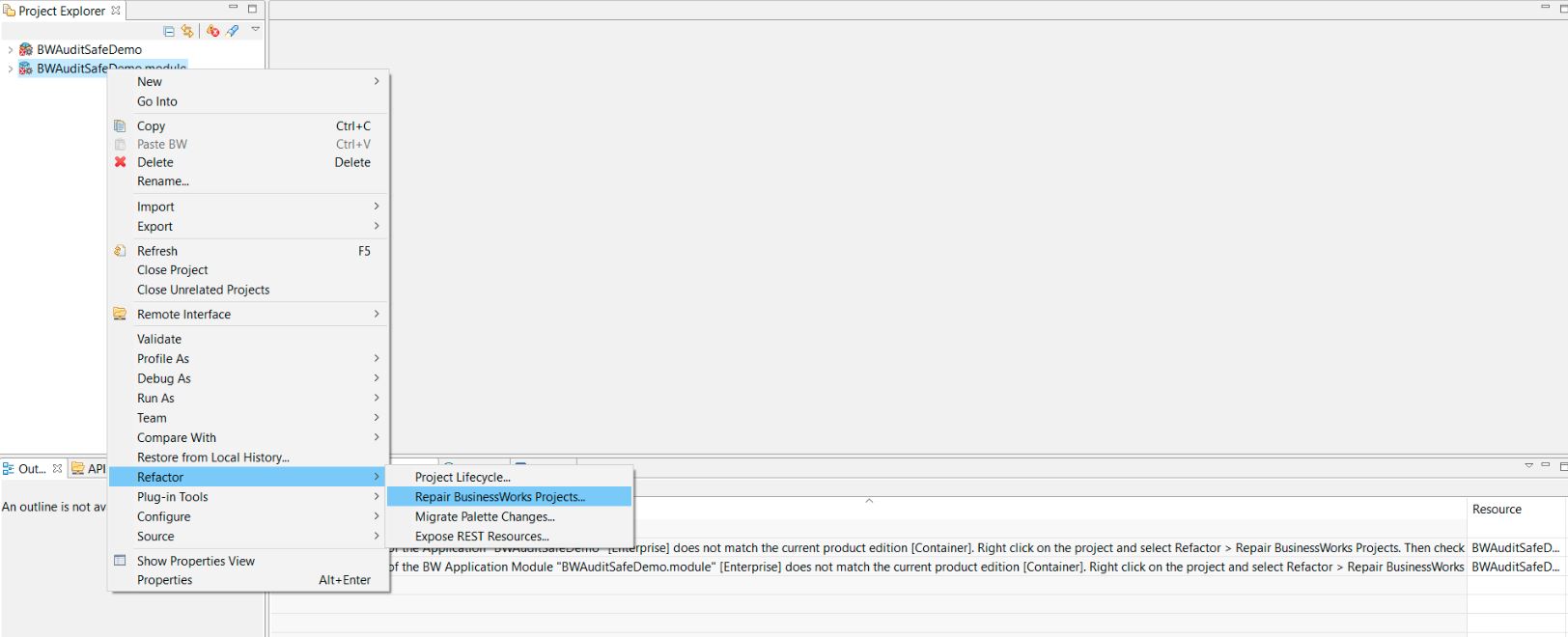
- Right-click BWAuditSafeDemo.module in the Project Explorer view, and then click
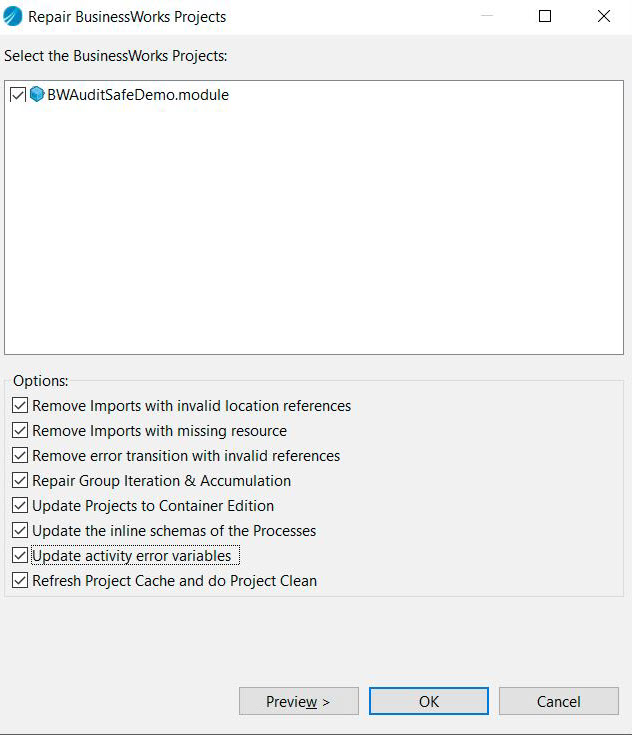
- Select all the check boxes displayed on the Repair BusinessWorks Projects dialog box and then click OK
 icon to save your changes after every update.
Copyright © 2021. Cloud Software Group, Inc. All Rights Reserved.