Creating a TIBCO AuditSafe Shared Resource Connection
Perform the following steps to create a TIBCO AuditSafe connection:
- Procedure
- In the Project Explorer view, expand the created project folder projectname.module.
- Right-click the Resources folder and select .
- In the
tasconnection dialog, you can see a default name of the resource connection in the
Resource Name field. Click
Finish to open the
tasconnection Editor.
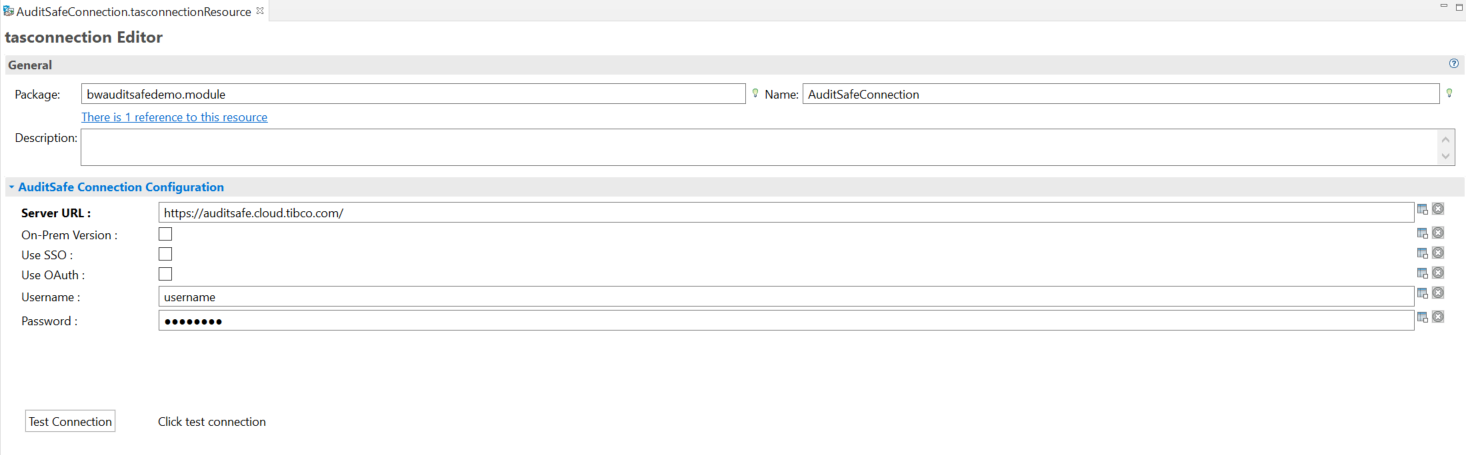
- In the AuditSafe Connection Configuration tab, configure the TIBCO AuditSafe shared resource connection. For more information, see TIBCO AuditSafe Shared Resource Connection.
- Click
Test Connection to validate the connection.
If your account is associated with multiple organizations, then after clicking Test Connection, you can select a desired organization from the Account Information pop-up menu.
- After the test connection is successful, click OK.