Required: On the toolbar, click
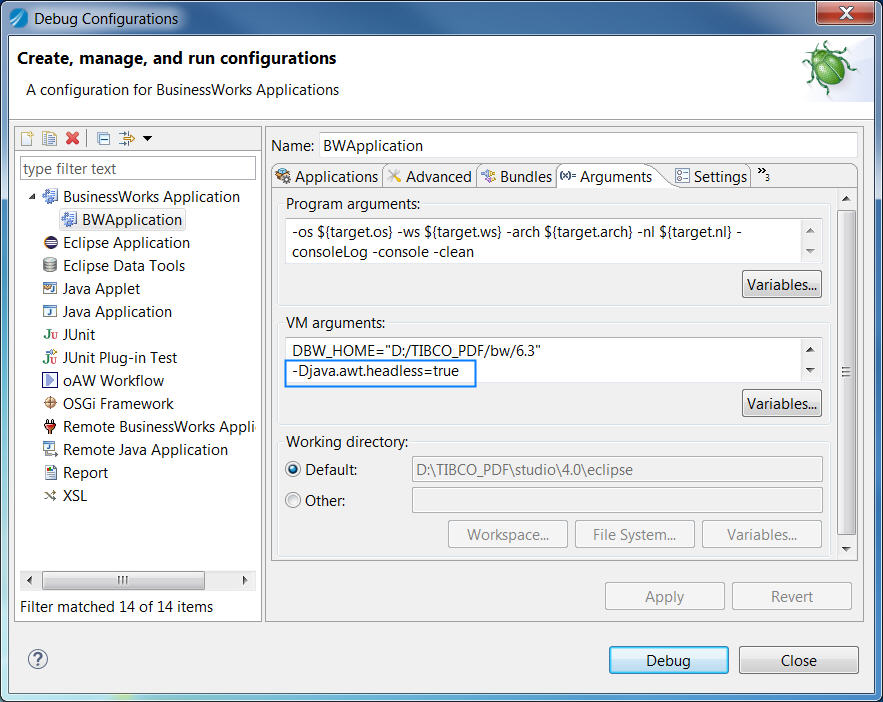
Debug > Debug Configurations.
Click
BusinessWorks Application > BWApplication in the left panel.
By default, all the applications in the current workspace are selected on the
Applications tab. Ensure that only the application you want to debug is selected on the
Applications tab in the right panel.
Optional: If you want to run a process containing the PDFWriter activity on the Mac OS platform, click the
Arguments tab, add the following property to the
"VM arguments" panel and click
Apply:
-Djava.awt.headless=true
Click
Debug to test the process in the selected application.
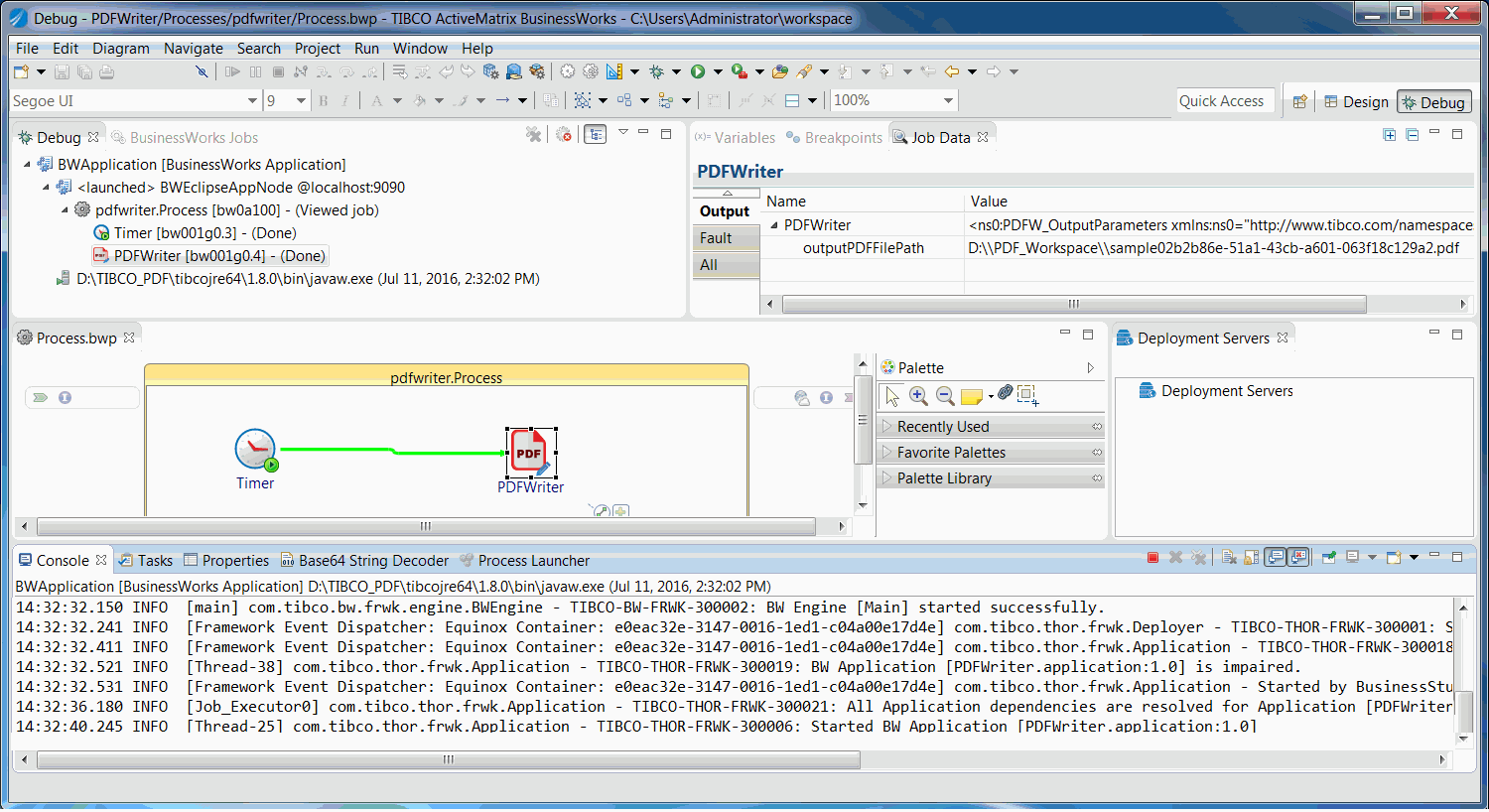
TIBCO Business Studio changes to the Debug perspective. The debug information is displayed in the Console view.
On the
Debug tab, expand the debugged process and click an activity.
In the upper-right corner, click the
Job Data tab, and then click the
Output tab to check the activity output.

 .
.