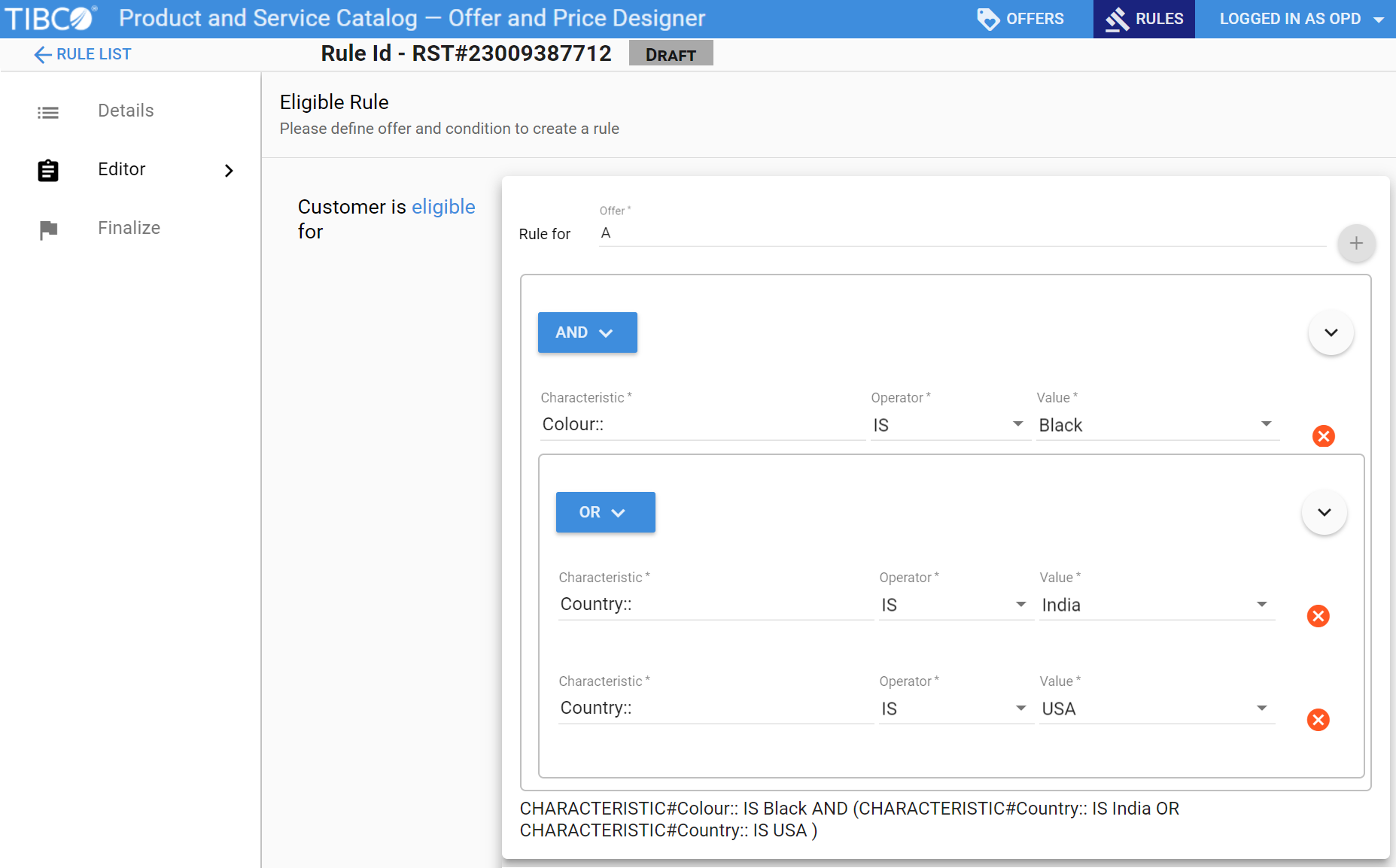
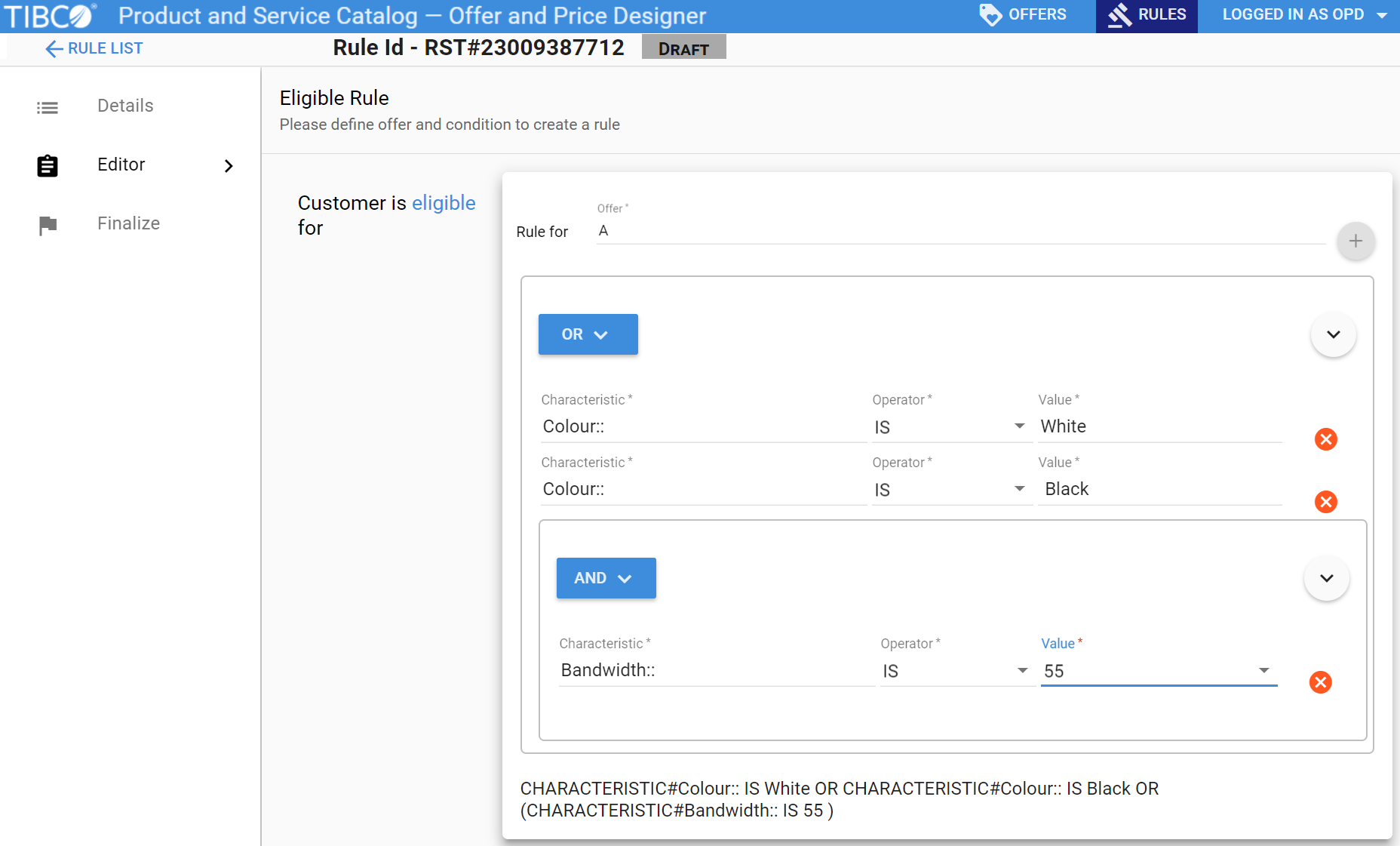
A multiple nested rule criterion has multiple nested simple rule criterion.
See the topic
Creating Simple Rule Conditions, steps 1 through 6 for creating a simple criterion. To create multiple nested rule criterion, perform the following steps:
Procedure
Click
. Click
( ) Add Group. Select
Or or
And by clicking
.
A nested criterion is added.
Click
in the same criterion. Click
< > Add Characteristic. Enter the values for
Characteristic,
Operator, and
Value.
Add another characteristic by clicking
and
< > Add Characteristic.
Click
Finalize.
The rule criterion is created.
Note: The criterion inside the bracket is executed first during the runtime.

 . Click
 .
.