Work Item Details View
Depending upon the Inbox Page selection from the Profile Settings window, the Work Item Details page is displayed. Also, depending on the task, different work item detail pages are displayed. For example: the Record Introduction page, Record Modify page, and so on.
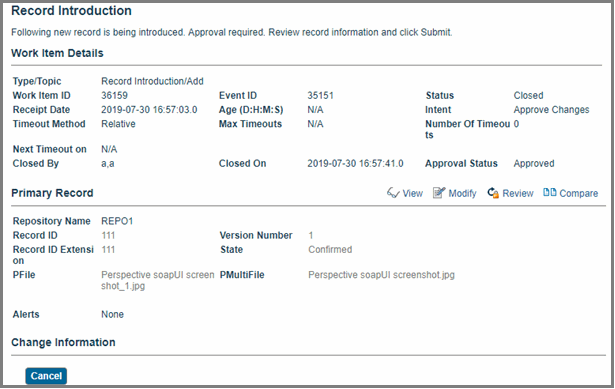
From the classic inbox page, click the workitemnumber link in the Work Item column, the Record Introduction page is displayed. This page contains the Work Item Details section.
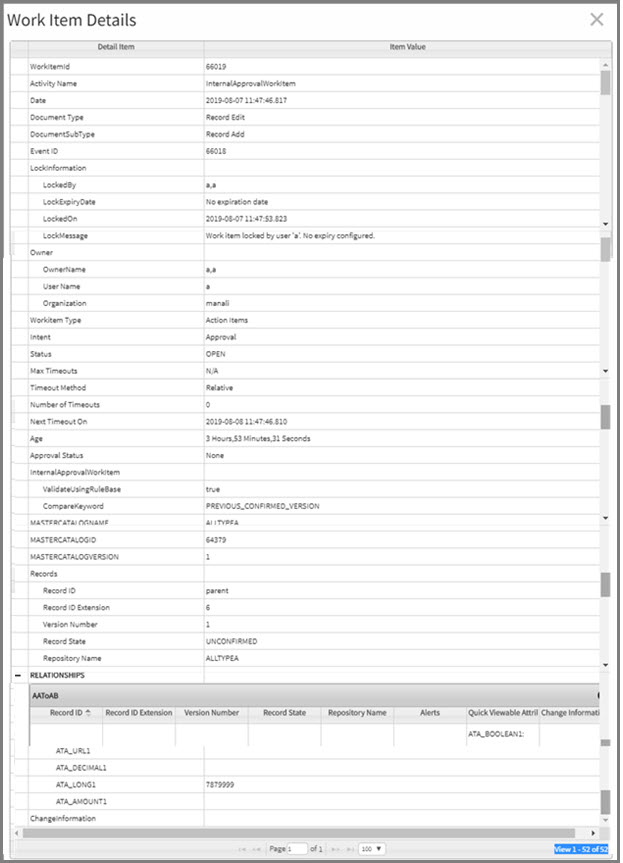
From the simplified inbox page, click the Details link in the last column of the work item list. The Work Item Details page is displayed. The columns on the Work Item Details page can be sorted. If any associated records are present in the work item, those records are also displayed in a tabular form within the Details column.
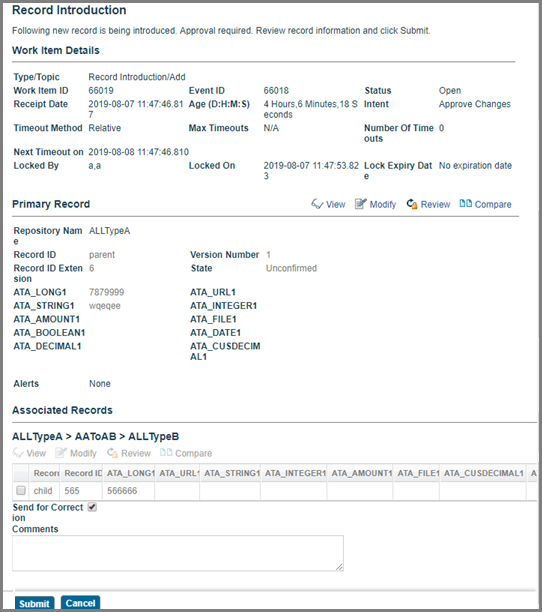
Click the record ID link in the Work Item Preview section to view the record details.
From the extended inbox page, click the Preview link in the last column of the work item list. The work item preview is displayed under the selected work item. Click the Full Details link in the work item preview section.
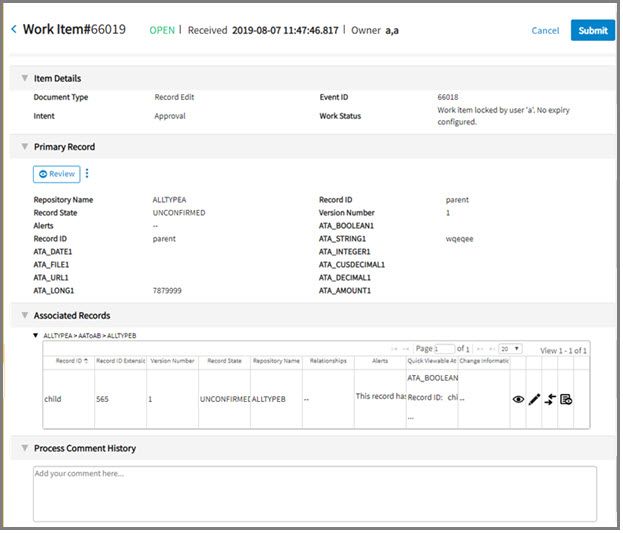
The Work Item Details page or section typically displays the following information:
| Section Title | Description |
|---|---|
| Work Item Details | Type of action being performed (new record being introduced or modified). This section includes the following data:
|
| Primary Record | This section displays the repository name, record ID, Extension, Version, State, and Alerts. Attributes marked as quick viewable are also displayed. The red asterisk (*) sign is shown for the attributes marked as required attributes. For information about the required attributes, see
Mandatory Fields.
Important: The
Primary Record section is available only for the record operation type of work items (that is, record add, record modify, record delete, or record rejection).
In addition to quick viewable attributes, you can also display customized attributes on this page. For more information, see TIBCO MDM Customization. Depending on the resource security and rulebase security for this page, you can click the following links:
Note: The
Graphical Editor link is displayed only if you have set the Record Edit Approval business process rule.
|
| Associated Records | This section displays details of any records associated with the current record, such as record ID, Extension, and Alerts. Attributes marked as quick viewable are also displayed.
Attention: The
Associated Records section is displayed only when the records with relationship records are added or modified.
The associated records are grouped in tables based on the relationship name. The table heading includes a repository name and its relationship name. Each record in the associated table has a check box for selecting the record. You can select only one record at a time. As you check the check box for a single record, the remaining check boxes are disabled. Alerts are displayed in the last column. For each relationship, you can perform the following actions using the links or icons:
|
Restriction: A number of quick viewable attributes to be displayed on the simplified inbox and extended inbox pages are limited. On the simplified inbox page, first 4 and on the extended inbox page, first 2 quick viewable attributes are displayed in the
Primary Record and
Associated Records sections.
| |
Limitation
The Work Item Details View is not displayed for the Supported and Unsupported Work Items for Simplified and Extended Inbox Pages on the simplified and extended inbox pages.