Transfer
Use Transfer to send a file to a file, job, or printer, or send a command to a remote system or receive a file from the remote system to a file, job, or printer.
To select Transfer from the Action Bar, press Tab until the cursor is before Transfer or use the arrow keys to place the cursor on Transfer and press Enter. A submenu is displayed as shown in the following figure:
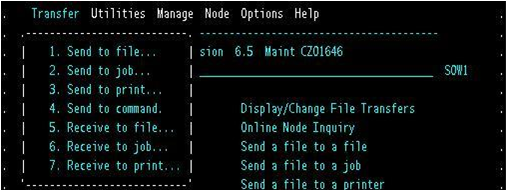
Select the desired option in the submenu and press Enter. The results are the same as those when you choose one of these options from the main menu in the Platform Server primary window. For the parameters of these options, see the descriptions in Send Request Parameters and Additional Parameters for Receiving to Printer.
To exit, press F3.