in the OpenSpirit tool bar.
Use ArcGIS Pro's feature selection capability to select the features you
would like to send to another application. Click on the Send
GIS event button to send the selected features.
in the OpenSpirit tool bar.
Use ArcGIS Pro's feature selection capability to select the features you
would like to send to another application. Click on the Send
GIS event button to send the selected features.OpenSpirit enables applications to exchange GIS data using events. Point, polyline, and polygon features can be broadcast to applications that have been enabled to listen for OpenSpirit GIS events, such as Schlumberger's Petrel application and TIBCO's Spotfire application. Applications that receive GIS events typically react by displaying the features contained in the event. The features are composed of the points, polylines, or polygons as well as various display properties such as color, point size, line width, fill color, and opacity.
GIS events are sent using the Send
GIS event button in the OpenSpirit tool bar.
Use ArcGIS Pro's feature selection capability to select the features you
would like to send to another application. Click on the Send
GIS event button to send the selected features.
The coordinate system used when sending the GIS event is determined by your OpenSpirit Extension's preference settings. All the features sent in the event are converted to the map's coordinate system if the preference settings are set to Map. The features are sent unconverted in their layer's coordinate system if the preference settings are set to Layer.
A unit selection window will appear for each layer that contains selected three dimensional features (features with a Z axis value).
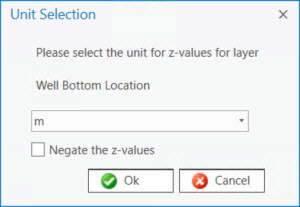
Select the unit that represents the Z values in the feature layer. An option to negate the Z values is also provided if you are sending the features to an application that expects the sign of Z values to be different from the Z values in the features being sent.
A geographic transform selection window will appear for each layer that has a coordinate system that is not in the WGS84 datum if the map has not been assigned a transform to WGS84.
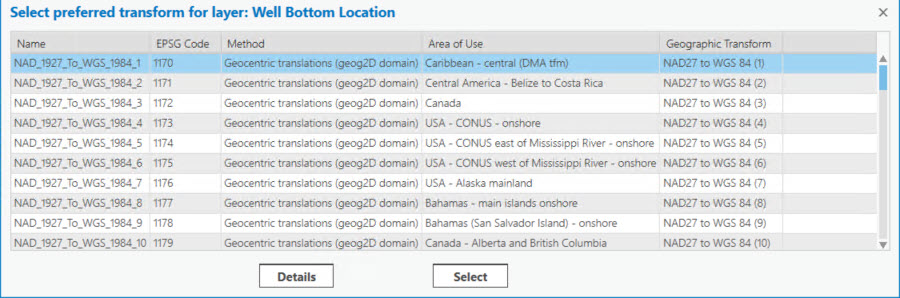
Select the geographic transform to WGS84 you would want your receiving application to use if there is a need to transform the features to WGS84.
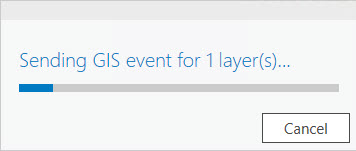
A progress bar will appear while the selected features are being sent.