OpenSpirit Settings Overview
This dialog allows you to set default options that control how the OpenSpirit Adapter behaves. This dialog is displayed by clicking on the Settings option in the OpenSpirit dropdown menu:
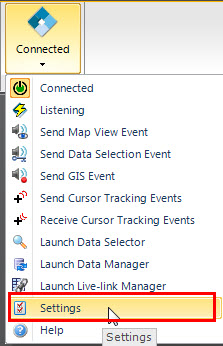
There are five tabs in this dialog that are described in more detail in the following sections. The Export Defaults tab is not shown unless the adapter is connected to OpenSpirit.

- Export Defaults - set the default export project and default interpreter
- General - options that control sending and receiving of events and import of data
- Data Management - options that control the OpenSpirit Data Manager
- Groupings - enables imported data to be grouped into folders based on the value of a selected property
- Help and Support - display version information, set debug logging levels, and send email to OpenSpirit support