TIBCO Spotfire® Cobranding

Replacing the TIBCO Community option in Spotfire Analyst and Spotfire Web Player

You can replace the text for the "TIBCO Community" option on the Help menu, and the URL behind it. These changes affect both Spotfire Analyst and the Spotfire Web Player.

About this task
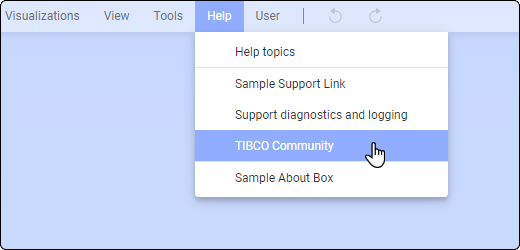
Note: If you want, you can decide not to display the TIBCO Community option at all in the Help drop-down menu, rather than replacing it. Use the preference setting ShowCommunity in the Spotfire Administration Manager. Set the value of the preference to False for the user groups that you want not to see the TIBCO Community option.

Before you begin

You have a cobranding.config file to work with. If you need one, see Creating a cobranding.config file.

Procedure

  1. Open the cobranding.config file in an XML editor or text editor.
  2. Locate the following section:
    <community>
        <text>TIBCO Community</text>
        <url>https://community.tibco.com/products/spotfire/</url>	
    		</community>
  3. Replace "TIBCO Community" with the text that you want to use on the Help drop-down menu.
  4. To select a letter as the access key for this menu item, type &amp; in front of the letter.
  5. Replace "https://community.tibco.com/products/spotfire/" with the community URL that you want to use for the link.