You can change row height and column width in tables, cross
tables and graphical tables to better suit your content.
Procedure
-
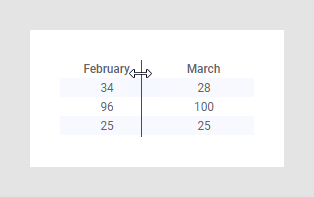
Place the cursor between two rows or two columns in the table,
where the cursor changes appearance.
-
Adjust the row height or column width by clicking and dragging the
red line that is shown.
Tip: Press
Ctrl before dragging the line to
simultaneously to adjust all the columns to the same width. The height of the
header row is adjusted separately, while the data rows always get the same
height.
-
Release the cursor at the desired height or width.
Tip: You
can optimize the use of screen estate for a table or cross table, with all
content in the columns kept visible. Double-click the column divider to adapt
the column width to the content. Alternatively, click the column header, and in
the opened pop-up menu, select
Size to fit.
You can also define an exact column width in pixels, by clicking
the header of a table or cross table and specifying a
Column width in the pop-up menu. In a
graphical table, you can right-click the header row and select Column Width,
and specify the width in a dialog (installed client only).