Random Sampling
This operator extracts data rows from the input data set and generates sample tables or views according to the sample properties (percentage or row count) that the user specifies.

Information at a Glance
|
Parameter |
Description |
|---|---|
| Category | Sample |
| Data source type | TIBCO® Data Virtualization |
| Send output to other operators | Yes |
| Data processing tool | TIBCO® DV, Apache Spark 3.2 or later |
Input
An input is a single tabular data set.
Bad or Missing Values
Null values are not allowed and result in an error.
Configuration
| Parameter | Description |
|---|---|
| Notes | Notes or helpful information about this operator's parameter settings. When you enter content in the Notes field, a yellow asterisk appears on the operator. |
| Number of Samples | Specify the number of samples to generate. The samples are in the form of either database tables or views. For example, if the user inputs 3 in this field, 3 sample tables or views are generated. |
| Sample By |
Specify the size of samples. The following values are available:
|
| Sample Size | Specify the number of rows to generate for each sample data set. This property is interpreted in conjunction with the
Sample By property.
|
| Consistent | Determines whether the operator always creates the same set of random rows for each sample data generation.
Default: false |
| Random Seed | The seed used for the pseudo-random generation.
|
| Replacement | Specify whether the sampling is with or without replacement.
If Replacement is selected, both the Consistent and Disjoint properties are set to false and disabled. |
| Disjoint | Specify whether each sample should be drawn from the entire data set, or from the remaining rows after previous samples are excluded.
If it is set to true, then Replacement parameter must be false. |
| Key Columns | Used in conjunction with the
Consistent property.
|
| Output Schema | Specify the schema for the output table or view. |
| Output Table | Specify the table path and name where the output of the results is generated. By default, this is a unique table name based on your user ID, workflow ID, and operator. |
| Store Results | When set to Yes, the operator saves the results. If set to No, the operator does not save the results. |
Output
- Output: The data rows of the output table or view of each generated sample are displayed.
A tabular data set of the sample data tables was created. Typically, the data set is passed on to a Sample Selector operator, such as Train and Test, to select a sample to use with subsequent operators. An additional column is produced in the output as a result of the operator execution.
-
tds_sample_column: This column indicates the sample to which the row has been assigned and is used by the Sample Selector operator.
Example
The following example extracts the data rows from the input data set and displays them according to the sample properties defined by the user.
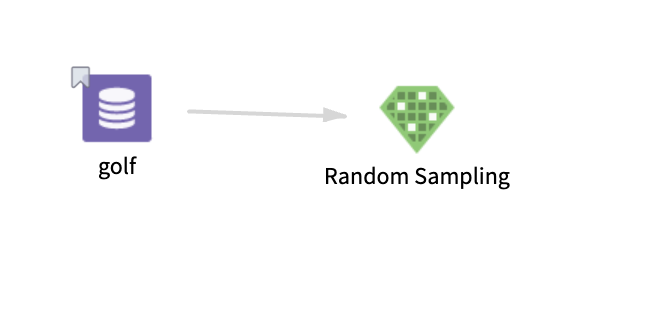
golf: This data set contains the following information:
- Multiple columns namely outlook, temperature, wind, humidity, and play.
- Multiple rows (14 rows).
Parameter Setting
The parameter settings for the golf data set are as follows:
-
Number of Samples: 2
-
Sample By: Percentage
-
Sample Size: 10%, 20%
-
Consistent: true
-
Random Seed: 1
-
Replacement: false
-
Disjoint: true
-
Key Columns: outlook, temperature, humidity, wind
-
Store Results: Yes
Output
The following figure displays the output for the parameter settings for the golf data set.
