Adding Statistica Service to a Spotfire Server Node
To make Statistica capabilities available to the Spotfire users, you must add the Statistica packages to one or more Spotfire Node manager instances as follows:
Before you beginYou must have already deployed Statistica Service on Spotfire Server as described at
Deploying Statistica Service.
- Procedure
- In the Spotfire web UI, navigate to Nodes & Services.
- In the left pane, ensure that the node on which you want to add Statistica Service is selected.
- In the right pane, in the Installed services section, click the Install new service button.
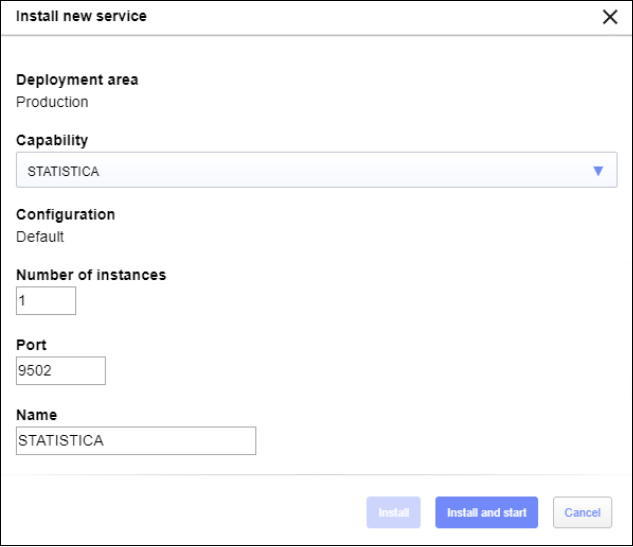
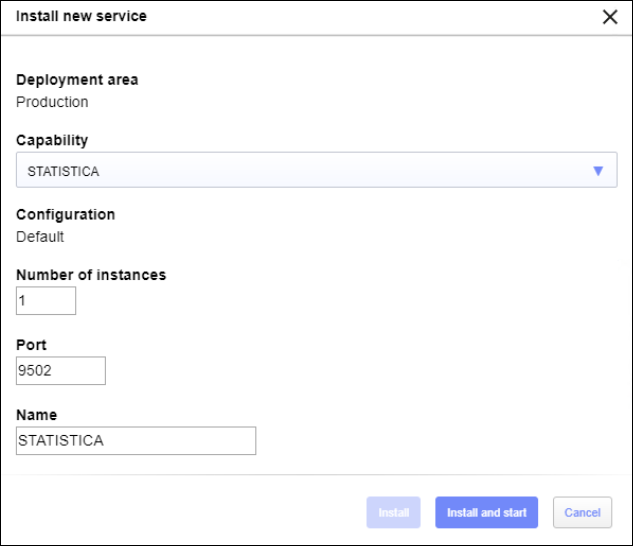
- In the Install new service dialog box, choose the Statistica capability, and verify the information in the autopopulated fields, and click Install and Start.
- Click
Install and Start button.