Creating an Identity Relationship Instance
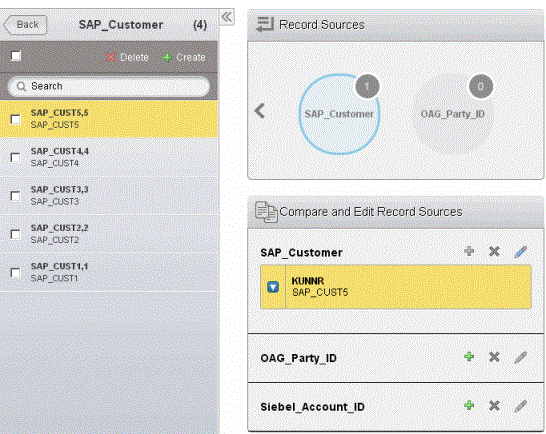
A relationship is instantiated by adding participant instances. Creating identity relationship instances is to add participant instances for the anchor participant.
- Procedure
- On the Identity Relationship Management page, click
 in the left panel.
- Select a method to create an identity relationship instance.
Create a new entry: select it to create an identity relationship instance by creating a new anchor participant instance.
See Creating an Entry.
Choose from existing entries: select it to create an identity relationship instance by selecting an existing anchor participant instance. - Click
Save.
The created identity relationship instance is highlighted and listed at the top of the list in the left panel.