Generating Application Configuration YAML File from Application Configurator
In the Application Configurator, you can configure entities for an application such as properties, substitution variables, resource templates, services, and reference bindings. When the configuration is complete, you can download the configuration in a .zip format.
- Procedure
-
Upload the application DAA, and optionally, the Log4j configuration file. If you have previously downloaded the YAML file, you can upload it as an input file. See Uploading Application DAA and Configuration Files.
A red indicator icon
 with the count is displayed on the tabs and entities, which have incomplete configuration.
 -
You can navigate to the tabs or entities, which have incomplete configuration and complete the configurations. Alternatively, click the red indicator icon
. The list of required configuration is displayed. Click Fix  to complete the required configuration.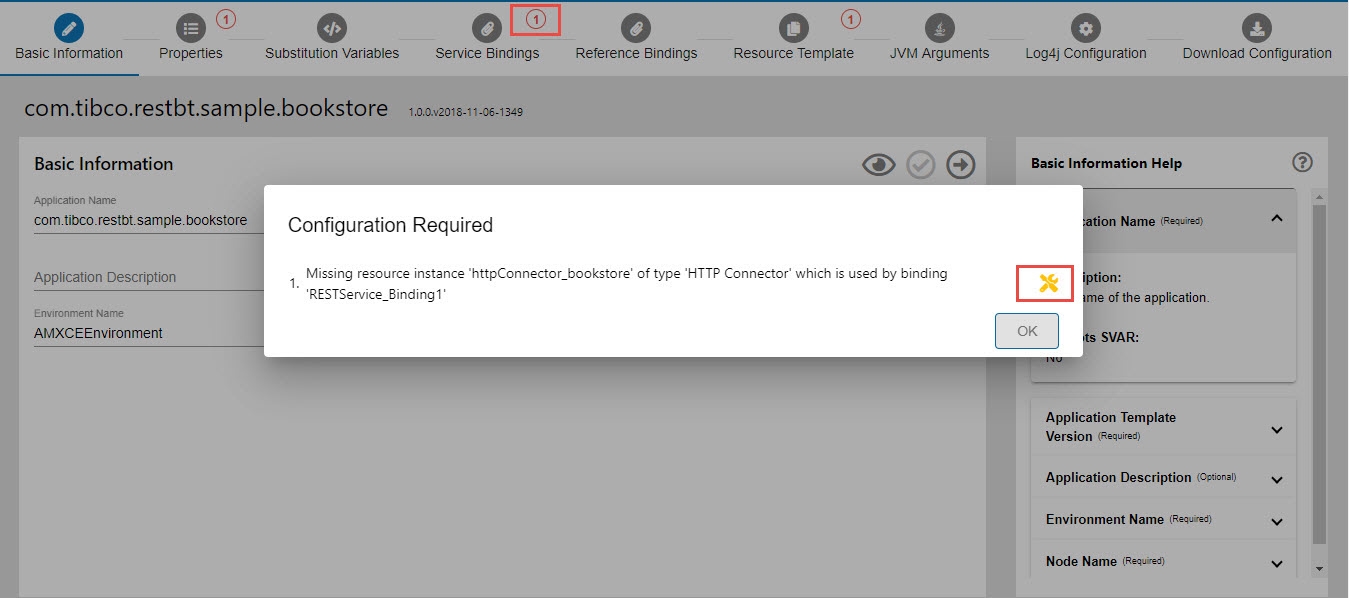
- If your application contains configured properties, specify values for them. See Properties.
- If your application contains substitution variables, assign values to them. See Substitution Variables.
-
Configure the service bindings. See Managing Service and Reference Bindings.
- For the bindings that have been configured at design time:
Task Steps To edit a service binding - In the list of bindings, click Edit
 next to the binding.
 - In the Edit Binding dialog box, edit the configuration information and click Save
 .
.
To delete a service binding Click Delete  next to the binding.
- For the bindings that have not been configured at design time:
Task Steps To add a service binding - Select a binding type from the drop-down list and click the Add Service Binding button.
- In the Add Binding dialog box, edit the configuration information and click Save .
-
Configure the reference bindings, if any. See Managing Service and Reference Bindings.
- For the reference bindings that have been configured at design time:
Task Steps To edit a reference binding - In the list of bindings, click Edit next to the binding.
- In the Edit Binding dialog box, edit the configuration information and click Save .
To delete a reference binding Click Delete next to the binding.- For the reference bindings that have not been configured at design time:
Task Steps To add a reference binding - Select a binding type from the list and click the Add Reference Binding button.
- In the Add Binding dialog box, edit the configuration information and click Save .
- If your application refers to resource templates, configure the resource template. See Managing Resource Templates.
- You can change the default JVM parameters on the JVM Arguments tab.
- You can change the default Log4j configuration on the Logging Configurations (Log4j) tab.
- When the configuration is complete, you can download the configuration as a
.zipfile by navigating to the Download Configuration tab. The.zipfile contains the YAML file, DAA, Log4j configuration file, and JVM parameters file. See Downloading Application Configuration.