Viewing Environment Information
An environment is a logical grouping of applications and nodes. There can be multiple environments. In the Application Monitor, the Environments tab lists all environments.
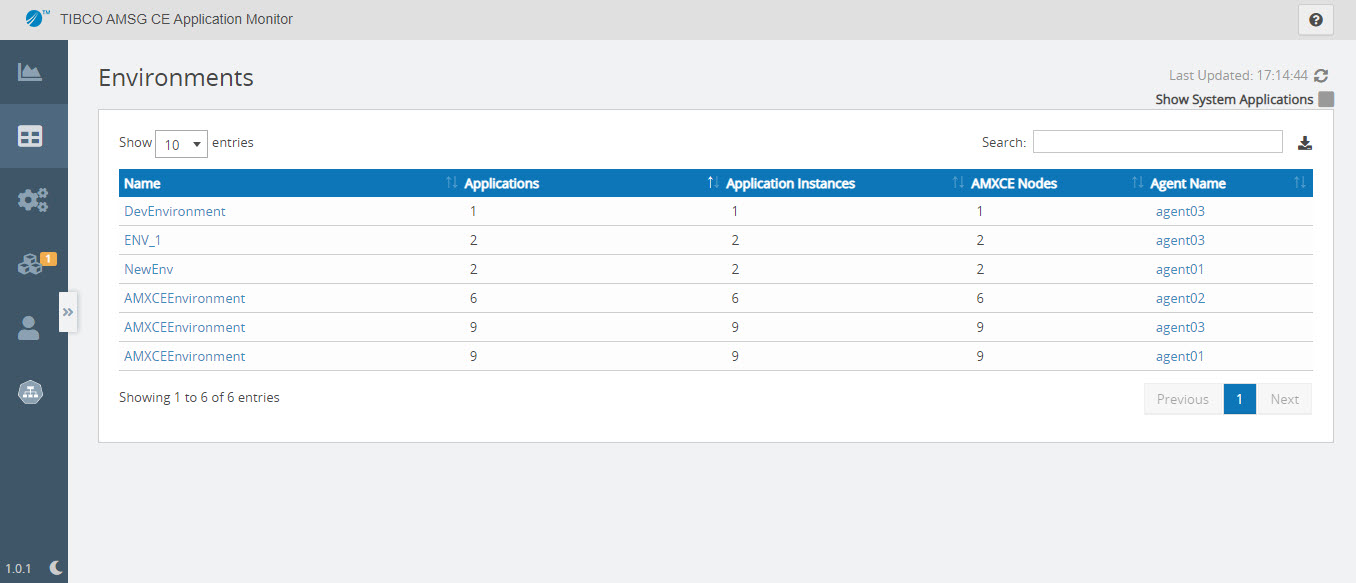
For each environment, the following information is available:
| Column | Description |
|---|---|
| Name | Name of the environment. Click the environment name to view its details. |
| Applications |
The total number of applications running in the environment. Note that here the applications include platform (system) applications and user applications. |
| Application Instances | The total number of application instances running in the environment. This value changes once deployed on Kubernetes. On Kubernetes, you can change the number of replicas for each user application. An application instance is a complete copy of the application that is running on an AMXCE node. For example, when we deploy an AMXCE application to Kubernetes with one replica, we have one application instance. If we specify "replicas: 2" then we will have 2 application instances. |
| AMXCE Nodes | The total number of AMXCE nodes running in the environment. |
| Agent Name | Name of the Application Monitor agent. |
To view the system applications, select the Show System Applications check box in the upper-right corner of the Environments page. The Show System Applications check box is available on Dashboard, Environments, and Applications page. If you select or clear the check box on one of the pages, it gets enabled or disabled on all three pages.
Exporting JSON File
To export the list of Environments as a JSON file, click Export JSON in the upper-right corner. The name of the file gets downloaded is
 AllEnvironments_Json_<date_time_stamp>.json.
Environment Details Page
On the environment details page, you can view the applications and AMXCE nodes in an environment. You can search and select an environment from the drop-down list and navigate to the environment details page.
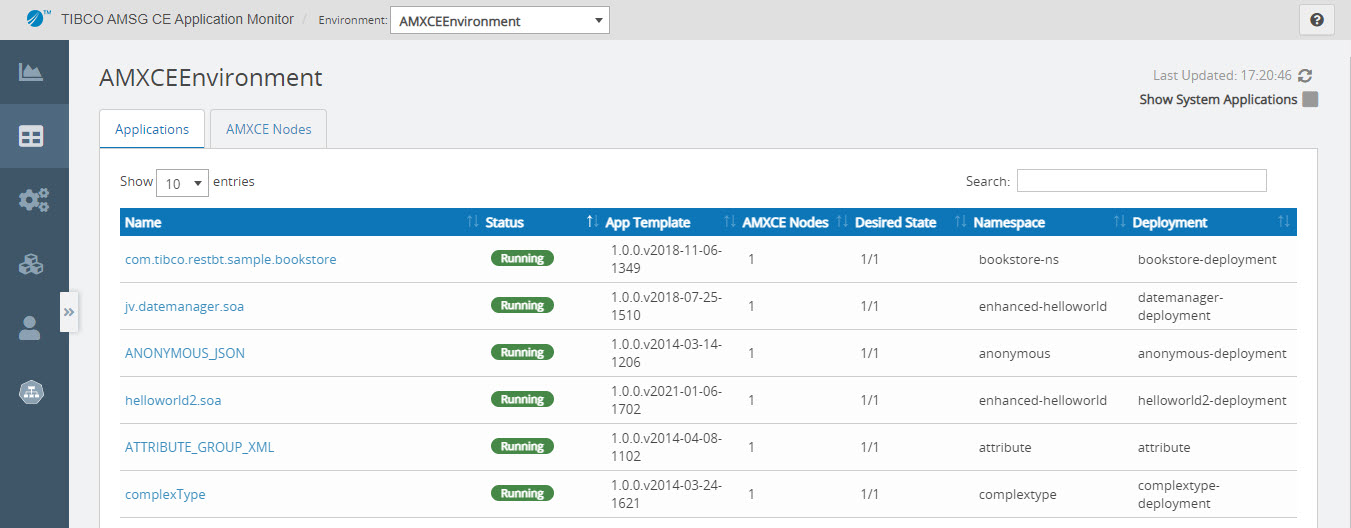
Applications in the Environment
You can view the list of applications running in an Environment. Click an application name in the Applications tab of the selected environment details page. For more information about the fields, see Viewing Running Applications.
AMXCE Nodes in the Environment
You can view the list of AMXCE Nodes running in an environment. Click a Node name in the AMXCE Nodes tab of the selected environment details page. For more information about the fields, see Viewing AMXCE Nodes Information.