Select Web Service Operation
Select the Web Service operation from your WSDL source. The wizard displays a graphical tree view of the Web Service operations available.
Browse the tree view and select the required operation.
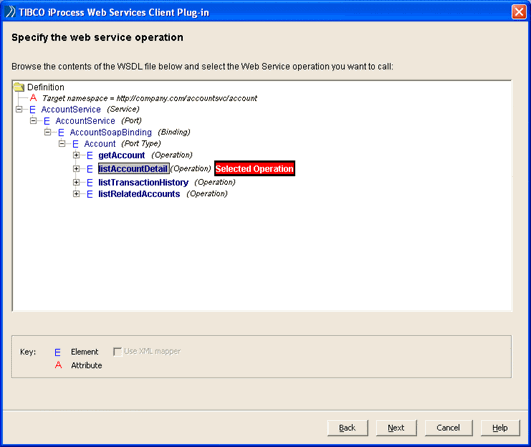
The wizard determines the type of mapping to be used based on the contents of the WSDL file and whether you selected XML/JMS as the data transport mechanism. This affects the subsequent screens that the wizard displays:
| • | If you are using XML/JMS as the data transport mechanism, continue with Select XSLT Files for Input of Data. |
| • | If you are using either XML/JMS or SOAP/HTTP and you are mixing complex and simple call styles (for example, sending a document/literal style message and receiving an RPC/encoded style), continue with Select XSLT Files for Input of Data. |
| • | If you are using SOAP/HTTP and the selected operation is a document/literal style, continue with the next section (Use the XML Mapper to Define the Input/Output Mappings (Optional)). |
|
Note |
If you are using custom types, the Use XML mapper checkbox is enabled. By default, this checkbox is selected allowing you to use the XML Mapper. However if you want to manually construct the XSLT as in previous versions of the iProcess Web Services Plug-in, de-select the XML mapper checkbox and refer to Select XSLT Files for Input of Data. |
| • | If you are using SOAP/HTTP and the selected operation is of the RPC/encoded style, simple data mapping is used. Continue with Map iProcess Fields to Web Service Fields. |