Exporting Records by Using Quick Export
You can export records from the Search Record List page, Browse Subset page, or on the Relationship tab.
Before you beginSee Quick Export.
- Procedure
- From one of the location (such as Relationship tab), click
Quick Export.
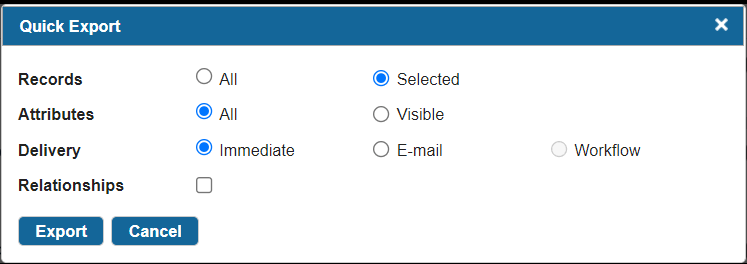
- In the Quick Export dialog box, you can define your export preferences for records and attributes. For details, see Quick Export Options.
- Click
Export.
If you have selected the Immediate option, the Exporting records progress bar is displayed. The CSV file containing exported records and filtered attributes is downloaded and saved.If you have selected the E-mail option, a confirmation message is displayed.If you have selected Workflow and Relationships options, the information message displayed with an event ID and the Event Log page link. Click the Check Progress link to check the event details. From the page, download the exported file.
Subtopics