Administrator Options in TIBCO Data Science – Team Studio
The Administration page provides a set of tools for administrators to view information about their users, licensing, and running workflows in one place. Administrators can also download logs from the console.
For information about downloading logs, see Download Logs.
To navigate to the Administration page, select Administration from the sidebar menu.
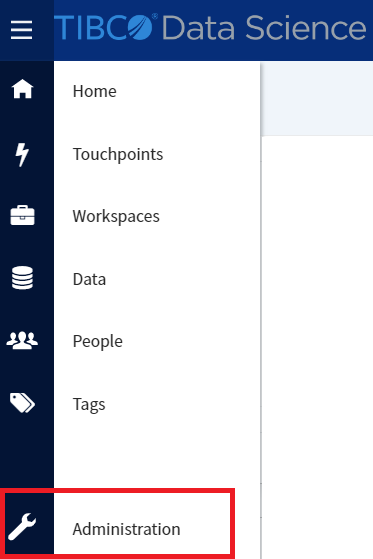
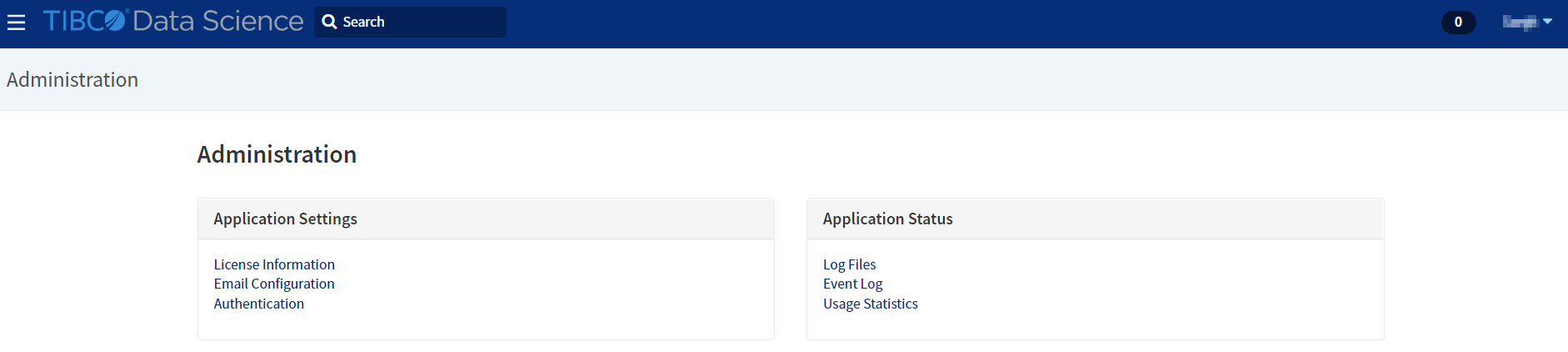
The Administration page appears. You can perform the following actions on the Administration page:
-
License Information: You can view the information on license and usage at a glance by selecting License Information. The following pieces of information are available.
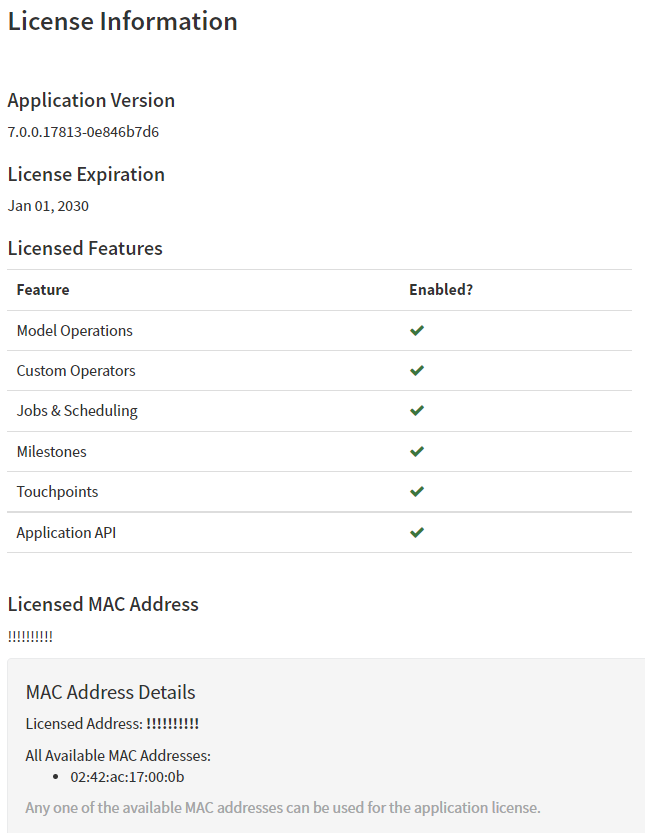
- Application Version: The version of TIBCO Data Science – Team Studio installed.
- License Expiration: The validity of the TIBCO Data Science – Team Studio license.
- Licensed Features: If the
Enabled? column is checked, then those features are available in the current
TIBCO Data Science – Team Studio installation. If the
Enabled? column is not checked, then those features are not part of your current license plan.
- Model Operations: The ability to export and import custom models using PMML, Alpine Model (AM), and PFA format.
- Custom Operators: The ability to use and create Custom Operators. For more information, see "Custom Operators" in TIBCO® Data Science - Team Studio Development Kit.
- Jobs & Scheduling: The ability to schedule jobs such as loading or analyzing data.
- Milestones: The ability to set up milestones and track progress in TIBCO Data Science – Team Studio Connect.
- Touchpoints: The ability to create and use Touchpoints. For more information, see "Touchpoints" in the TIBCO® Data Science Team Studio User Guide.
- Application API: The ability to build access and use the TIBCO Data Science – Team Studio API. For more information, see "TIBCO Data Science – Team Studio API" in the TIBCO® Data Science - Team Studio Development Kit.
- Licensed MAC Address: The MAC address that this version of TIBCO Data Science – Team Studio is registered with.
-
Email Configuration: You can configure information to use for emailing people about their TIBCO Data Science – Team Studio notifications. All new users to TIBCO Data Science – Team Studio receive a welcome email, and you can configure who receives notifications for finished workflows or jobs. Use this dialog to set up your SMTP server.
For more information, see Email Configuration.
-
Authentication: This option is used by an administrator to configure SAML or select an LDAP or TIBCO Data Science – Team Studio authentication method.
See Enabling LDAP Authentication for details.
-
Log Files: Administrators can access log files for the application which helps in troubleshooting and maintenance. In addition, these files are very helpful to provide when filing a support request. For more information on the log files, see Download Logs.
-
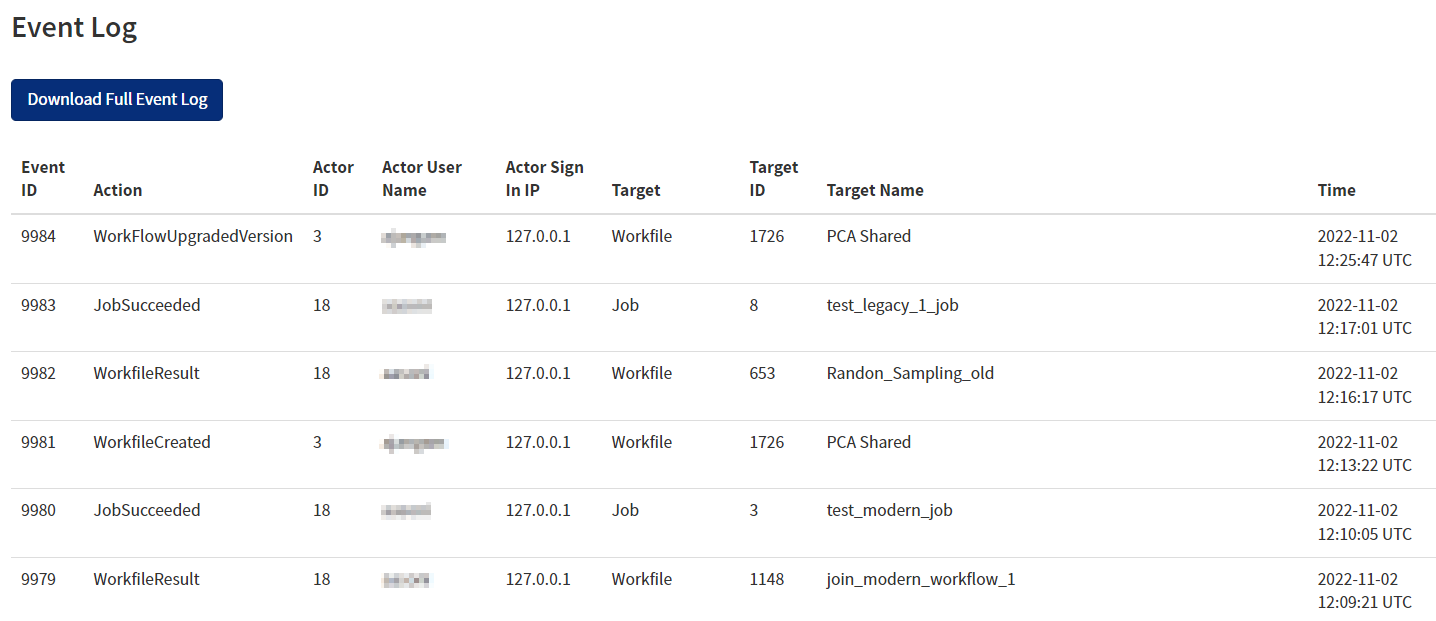
Event Log: You can view and download a full event log for audit purposes. Information is tracked over time for action type (for example, upgrading a work file version), with details regarding the action performed by the user, the IP address, and the names of any work files, data sources, or jobs that were associated with the action. To download all the logs, click Download Full Event Log.
-
Usage Statistics: Administrators can view usage statistics for users in TIBCO Data Science – Team Studio. The login data includes user name, email, and creation date, as well as total logins, activity in the last 30 days, and the latest login date.
For more information, see Usage Statistics.